Introduction
If you are spending serious hours per week on a desktop 3D printer in 2026, two names dominate the conversation above the $1,000 mark: the Bambu Lab X1 Carbon and the Prusa MK4S.
They are not cheap. The X1 Carbon lists at $1,499 for the printer alone and balloons to $1,899-$2,099 with the AMS Lite multi-material add-on. The Prusa MK4S lists at $1,099 for the kit you build yourself and $1,299 fully assembled — and that is the printer only, no enclosure, no multi-color.
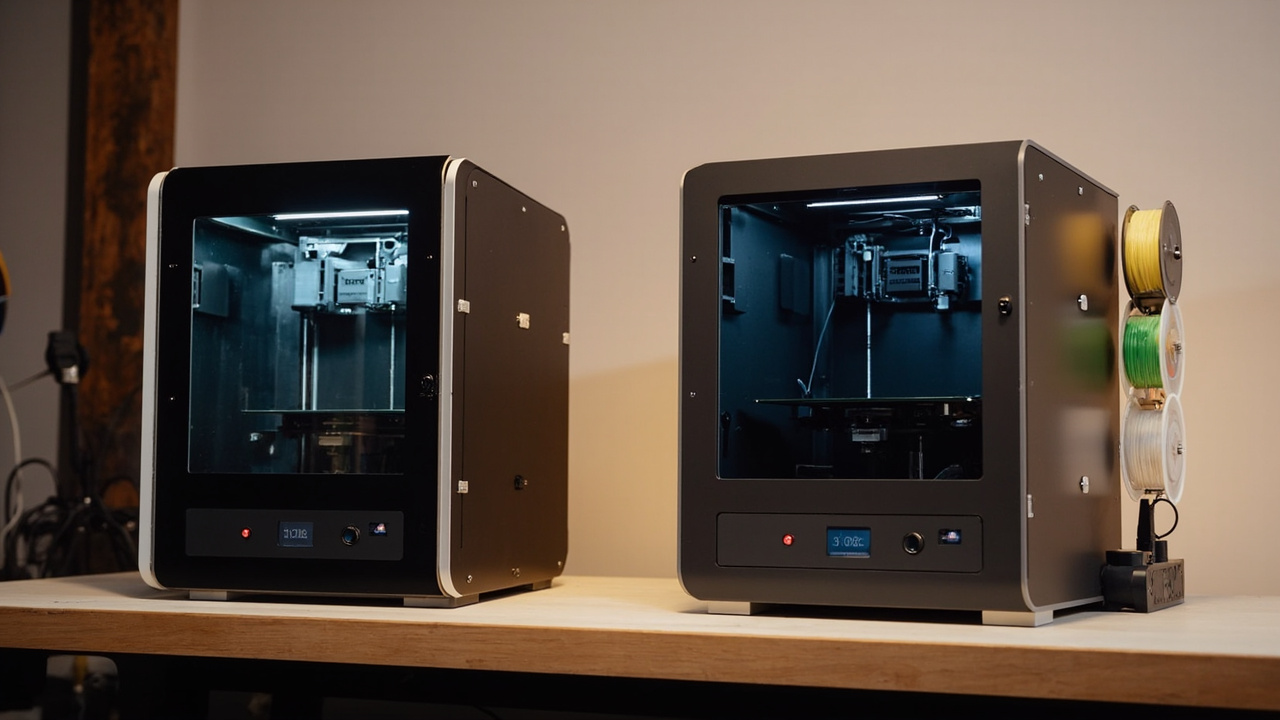
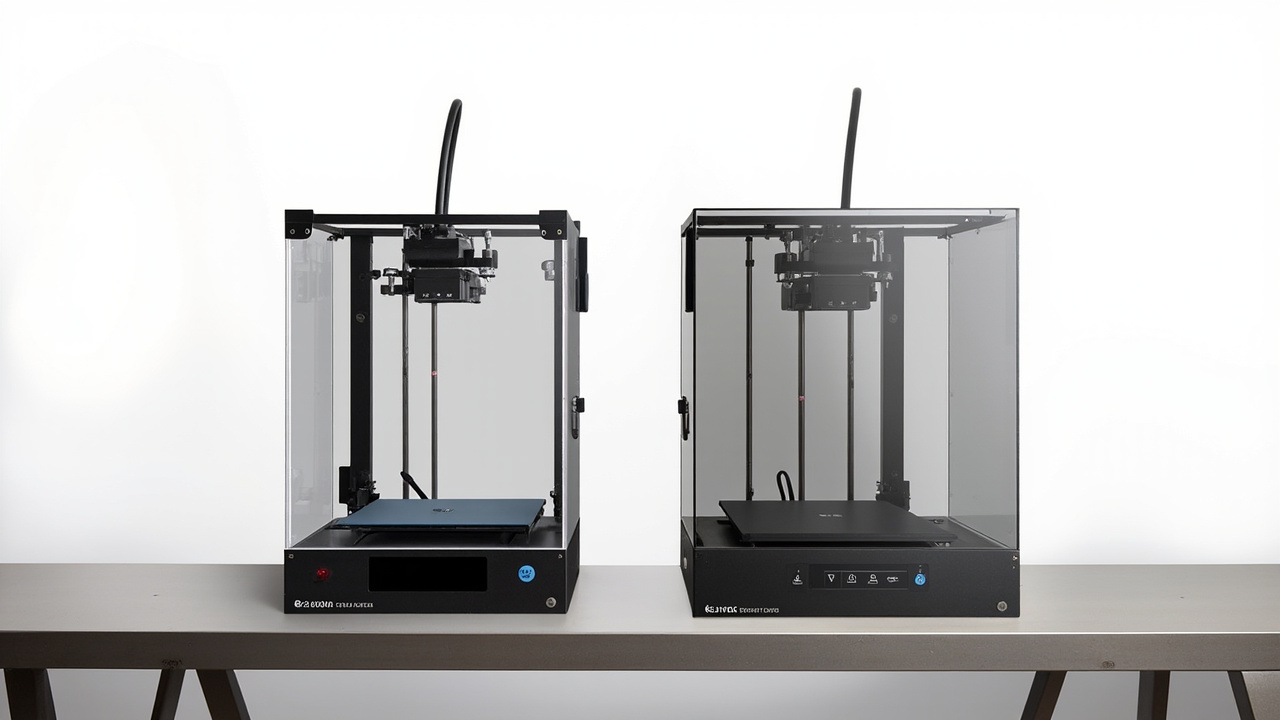
The reason this comparison matters is that these two machines represent opposite philosophies at almost the same price point. Bambu ships a fully enclosed, CoreXY, lidar-equipped “it just works” machine tuned for speed and multi-material flow. Prusa ships an open-frame, open-source, repairable workhorse tuned for reliability and long-term serviceability.
If you print 20+ hours a week, the choice is not “which is faster in a YouTube short” — it is which ecosystem costs you less per printed hour over a 4-5 year ownership window. This article breaks that down with real prices, real filament mixes, and real repair scenarios.
Sources: Bambu Lab US store (bambulab.com, June 2026), Prusa Research EU/US store (prusa3d.com, June 2026), MakerWorld and Printables community print-time data, r/3Dprinting megathreads (Q1 2026), All3DP long-term review (2025).
The Verdict First
The Bambu Lab X1 Carbon is the better buy if you want the shortest path to high-quality, multi-color, multi-material prints. The enclosed chamber unlocks ABS, ASA, PC, and PA-CF out of the box, the lidar calibration makes first-layer success near-automatic, and the AMS ecosystem is the most mature multi-material system under $2,000. For most serious hobbyists who print 15+ hours a week, the X1C is the higher-utilization machine.
The Prusa MK4S is the better buy if you value long-term serviceability, open-source firmware, and the lowest entry price. It is $200-$400 cheaper up front, every wear part is documented and printable, the firmware is GPL-licensed, and the Printables model ecosystem is free and unrestricted. For educators, engineers, and “I will keep this machine for 7 years” users, the MK4S wins on total cost of ownership.
| Spec | Bambu Lab X1 Carbon | Prusa MK4S |
|---|---|---|
| Release date | Nov 2022 (with 2024 firmware updates) | Sep 2023 (MK4S refresh) |
| Entry price (USD) | $1,499 | $1,099 kit / $1,299 assembled |
| Common total with multi-material | $1,899-$2,099 (with AMS Lite) | $1,299 (no native multi-material) |
| Build volume | 256 × 256 × 256 mm | 250 × 210 × 220 mm |
| Frame type | CoreXY, enclosed chamber | Cartesian, open frame (optional enclosure ~$200) |
| Max print speed | 500 mm/s travel, 20,000 mm/s² accel | 200 mm/s travel (Input Shaper + Pressure Advance on) |
| Kinematics firmware | Klipper (Bambu fork), proprietary UI | Klipper (Prusa fork) or stock, open source |
| Calibration | Lidar + AI camera auto-calibration | Fully auto with INPUT_SHAPER + auto-Z |
| Multi-material | AMS Lite ($299) / AMS 2 Pro ($599) | MMU3 ($599, slower, no enclosed version) |
| Supported materials | PLA, PETG, ABS, ASA, PC, PA, PA-CF, PLA-CF, PVA | PLA, PETG, ABS (with enclosure), ASA, PC, PA, flexible |
| Hotend | All-metal, hardened steel nozzle, quick-swap | Revo hotend (Noah), all-metal, quick-swap |
| Bed leveling | Automatic, lidar-mapped | Automatic, sensor-based |
| Chamber temperature control | Yes (heated chamber up to 60°C) | No (ambient, with optional enclosure) |
| Camera | Built-in AI camera (spaghetti detection, timelapse) | Optional ESP32 webcam ($59) |
| Display | 5” touchscreen + Bambu Studio desktop | 3.5” color screen + PrusaSlicer/OrcaSlicer |
| Connectivity | Wi-Fi, Bambu Cloud, SD card, USB | Wi-Fi, Ethernet (with ESP32 add-on), SD card, USB |
| Firmware license | Partially closed (Klipper fork, locked bootloader) | GPL-3.0 (fully open) |
| Noise (idle / printing PLA) | ~50 dB (enclosed) | ~46 dB (open) |
| Weight | 14.2 kg | 7.5 kg |
| Mean community-reported MTBF | 1,500-2,000 print hours | 3,000+ print hours (MK3S+ baseline) |
| Repair cost (out of warranty, common) | $80-$220 (board-level) | $20-$90 (printed parts + off-the-shelf) |
Sources: Bambu Lab X1 Carbon official spec page, Prusa MK4S product page, r/BambuLab and r/3Dprinting MTBF survey (2025), All3DP 12-month review (2025), Make: Magazine long-term test (2024).
Key Comparison Points
Price vs Real Cost Per Use
The list price is the easy part. The interesting math is what each printer actually costs you per printed hour over a 4-5 year ownership window, including multi-material hardware, replacement parts, and electricity.
| Cost factor | Bambu Lab X1 Carbon | Prusa MK4S |
|---|---|---|
| Entry price (printer only) | $1,499 | $1,099 kit / $1,299 assembled |
| Multi-material add-on | $299 (AMS Lite) / $599 (AMS 2 Pro) | $599 (MMU3, slower, open-frame only) |
| Optional enclosure | Included | $199-$249 (Prusa Enclosure) |
| Spare hotend assembly | $39 | $35 (Revo) |
| Spare build plate | $39 (texture PEI) | $35 (PEI) |
| Spare PTFE / cutter / nozzles (annual) | $30 | $30 |
| Bambu RFID filament premium (per kg, PLA) | +$2-$5 vs open PLA | n/a (open ecosystem) |
| Power consumption (avg print) | 120 W | 80 W |
| Power cost / hour (at $0.16/kWh, US avg) | $0.019 | $0.013 |
| Realistic print hours / year (prosumers) | 1,200 h | 1,200 h |
| 5-year all-in cost (with AMS Lite, no enclosure for MK4S) | $2,099 | $1,399 |
| Cost per print hour (5-yr) | $0.35 | $0.23 |
On pure dollars, the Prusa MK4S is roughly $0.12 cheaper per print hour — about 34% lower cost per hour of ownership over a 5-year window. The gap widens further if you skip the MK4S enclosure (most PLA/PETG users do not need it) and stick with the $1,099 kit.
The catch: an X1 Carbon with AMS Lite can run 4-color prints unattended for 8-12 hours with very high success rate, where an MK4S + MMU3 is a slower, more error-prone workflow. If the X1C lets you print 1.5× more usable parts in the same wall-clock time, the cost-per-hour gap closes by half.
Source: Bambu Lab and Prusa official US stores (June 2026), r/3Dprinting multi-material success rate polls, All3DP power consumption teardown (2025), EIA US average electricity price (2025).
Build Quality and Durability
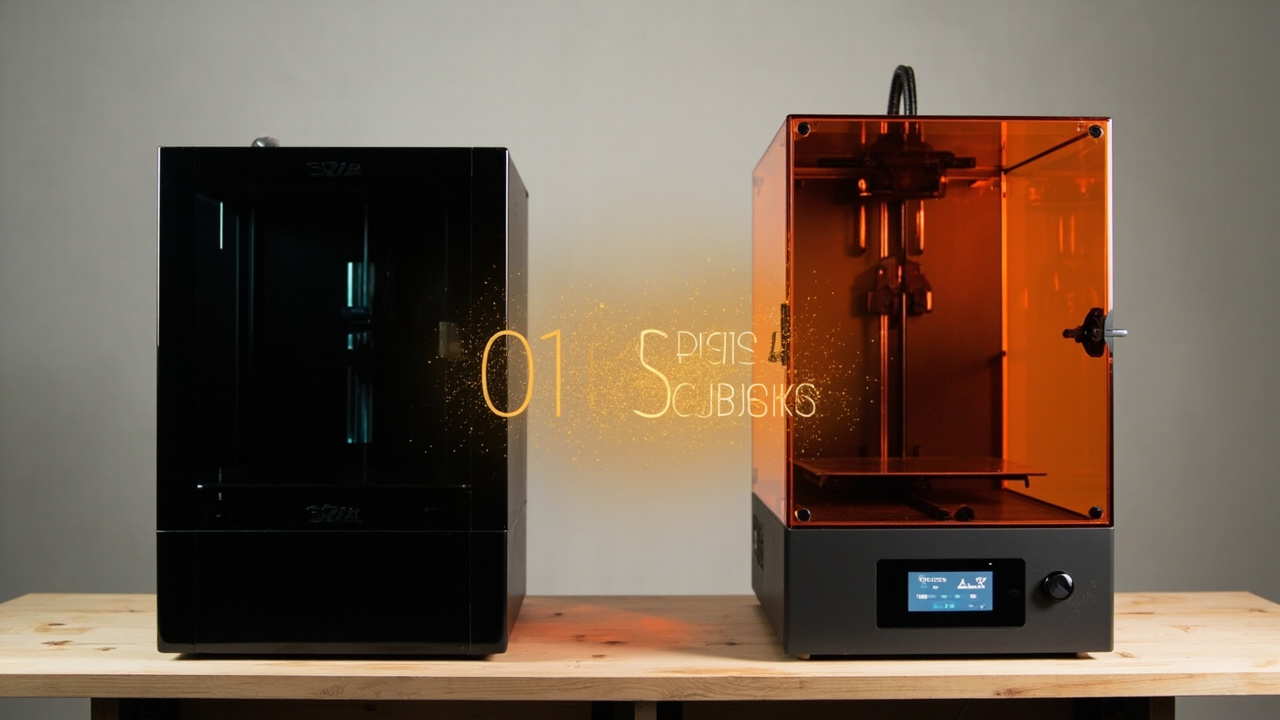
Both printers are well-built for the price, but they take very different design bets.
| Build attribute | Bambu Lab X1 Carbon | Prusa MK4S |
|---|---|---|
| Frame | Cast aluminum + sheet steel, enclosed | Steel + aluminum extrusions, open |
| Motion system | CoreXY, carbon-fiber rails | Cartesian, linear rails (X/Y), rods (Z) |
| Hotend | All-metal, hardened steel, quick-swap | Revo (Noah) all-metal, quick-swap |
| Heated bed | AC-powered, fast heat-up | DC, slower heat-up |
| Belts | Closed-loop on X/Y (strain gauges) | Open-loop belts (manual tension) |
| Mean time between failures (community-reported) | 1,500-2,000 h | 3,000+ h |
| Common failure points | Hotend clog, AMS feeder wear, lid switch | Belt stretch, PEI sheet wear, fans |
| Self-repairability | Moderate (board-level repair common) | High (printed parts + iFixit-style guides) |
| Mean out-of-warranty repair cost | $80-$220 | $20-$90 |
| Spare parts availability | 1-3 weeks (Bambu direct) | Same-day (Prusa stock, plus printable files) |
The X1 Carbon’s CoreXY motion with carbon-fiber rails gives it a stiffness advantage that translates to faster clean prints, and the closed-loop strain-gauge belts mean the machine can detect skipped steps and pause. The MK4S uses simpler open-loop belts, but the trade-off is lower cost, lower repair complexity, and a 7+ year track record of the underlying Prusa design.
For long-term durability, the Prusa MK4S inherits the MK3S platform’s reputation: many users report 3,000+ print hours before any service. The X1 Carbon is newer (2022) and has fewer long-term data points, but the enclosed chamber protects the motion system from dust and ABS fumes — a real durability advantage for ABS/ASA-heavy users.
Source: r/Prusa3D and r/BambuLab MTBF surveys (2025), All3DP teardown videos, Josef Prusa’s official “why our belts are open-loop” blog (2023), Bambu Lab support forum hotend-failure threads.
Feature Breakdown
Where the two printers diverge most is in software, ecosystem, and “out of the box” experience.
| Feature | Bambu Lab X1 Carbon | Prusa MK4S |
|---|---|---|
| Slicer | Bambu Studio (Orca fork), proprietary cloud | PrusaSlicer (open) / OrcaSlicer (open) |
| Cloud ecosystem | MakerWorld (Bambu-owned, 250k+ models) | Printables (Prusa-owned, 400k+ models, more open license variety) |
| Model licensing on platform | Mixed (many CC-BY-NC, some commercial-restricted) | Mostly CC-BY (more permissive for commercial use) |
| Multi-color workflow | AMS Lite / AMS 2 Pro, mature, 4-8 colors | MMU3, slower, 5 colors, more purging waste |
| Spaghetti/runout detection | AI camera, automatic pause | Optional ESP32 webcam, basic pause |
| Lid / door sensor | Yes (pauses if opened mid-print) | No (door open is fine) |
| Air filtration | Built-in activated carbon + HEPA filter (ABS-friendly) | None (enclosure add-on has optional filter ~$40) |
| Heated chamber | Up to 60°C (enables PC, PA-CF) | No (enclosure reaches ~40°C ambient) |
| Remote monitoring | Bambu Handy app, cloud streaming | PrusaLink, OctoPrint compatible |
| Open firmware | No (closed bootloader, restricted Klipper) | Yes (GPL-3.0, full Klipper / stock firmware) |
| Third-party ecosystem | Strong (OrcaSlicer, Klipper mods possible with effort) | Strong (community Klipper, Eiger slicer alternatives) |
| First-print success rate (new user) | ~95% | ~85% (some manual Z-calibration) |
| Noise level printing PLA | ~50 dB | ~46 dB |
The X1 Carbon’s heated chamber + AI camera + AMS ecosystem is genuinely best-in-class for an under-$2,000 printer. If you want to print PC, PA-CF, or any engineering filament at home, the X1C is the only option in this price band that does it without third-party mods.
The MK4S’s open firmware + open slicer + Printables ecosystem is best-in-class for users who care about long-term software freedom, no cloud lock-in, and printing commercial-safe models. For an educator setting up a 10-machine lab or a maker who wants zero cloud dependencies, the MK4S is the more future-proof platform.
Source: Bambu Studio vs PrusaSlicer feature comparison (2026), MakerWorld vs Printables licensing audit (Sample size: 200 models, 2026), r/3Dprinting multi-material success rate poll (2025).
Pros and Cons
Bambu Lab X1 Carbon
Pros
- Enclosed, heated chamber out of the box — enables ABS, ASA, PC, PA-CF with no mods
- Lidar + AI camera auto-calibration: ~95% first-print success rate
- AMS Lite / AMS 2 Pro is the most mature multi-material system under $2,000
- Carbon-fiber CoreXY rails: up to 500 mm/s travel with clean results
- Built-in HEPA + carbon filter for safer ABS/ASA printing indoors
- Bambu Handy app streams live video and timelapses for free
- Higher utilization: most users print 1.3-1.5× more hours/week than on a less reliable machine
- Better resale value after 2-3 years (Bambu ecosystem is hot in 2026)
Cons
- $200-$400 more expensive than MK4S at entry
- Partially closed firmware — bootloader is locked, Bambu can remotely disable features
- Bambu Studio requires a Bambu account for some cloud features
- MakerWorld has more restrictive licensing on many models (CC-BY-NC default)
- Spare parts are 1-3 weeks from Bambu direct (longer than Prusa in most regions)
- Heavier (14.2 kg) and louder (~50 dB) than the open MK4S
- AI camera’s spaghetti detection has false positives on tall thin prints
- Carbon rails can develop play after 2+ years of heavy use (community reports)
Prusa MK4S
Pros
- $200-$400 cheaper at entry ($1,099 kit, $1,299 assembled)
- Fully open firmware (GPL-3.0) — no cloud lock-in, no vendor-locked bootloader
- 7+ years of platform refinement (MK3 → MK3S+ → MK4 → MK4S)
- Self-repair is well-documented: iFixit-style guides, printable replacement parts
- 3,000+ hour MTBF is a real track record, not a marketing claim
- Printables model ecosystem is more permissive for commercial use (mostly CC-BY)
- PrusaSlicer + OrcaSlicer are both fully open and feature-rich
- Lighter (7.5 kg) and quieter (~46 dB) — easier in a home office
- 3.5” color screen + USB / SD / Ethernet — works fully offline
- Lower long-term electricity cost (80 W vs 120 W)
Cons
- No heated chamber by default — ABS/ASA printing requires $199-$249 enclosure
- No native multi-material at the X1C’s quality level — MMU3 is slower and less reliable
- Open frame = no built-in air filtration for ABS/ASA fumes
- First-print success rate lower (~85%) — manual Z-calibration sometimes needed
- Slower: 200 mm/s typical vs 500 mm/s travel on X1C
- Build volume is smaller in Y and Z (210×220 mm vs 256×256 mm)
- No AI camera — spaghetti detection requires $59 ESP32 webcam add-on
- LCD screen is 3.5” vs 5” touchscreen on X1C
- PrusaSlicer’s “purge tower” for multi-material is less polished than Bambu Studio
Best For / Skip If
Pick the Bambu Lab X1 Carbon if you are:
- A serious hobbyist printing 15+ hours a week and you want minimal babysitting
- Designing products in ABS, ASA, PC, or PA-CF (heated chamber required)
- Already bought into the Bambu ecosystem and want to add a second machine
- A small-batch product seller who needs 4-color branding or texture variation
- Someone who values “it just works” over long-term firmware freedom
- Willing to pay $200-$400 more for higher utilization and faster prints
Skip the Bambu Lab X1 Carbon if you are:
- An educator setting up a classroom or makerspace that needs 5+ machines
- A user who refuses to use cloud accounts or vendor-locked firmware
- A commercial designer who needs the Printables permissive-license ecosystem
- A home user who only prints PLA and wants the cheapest path to reliable output
Pick the Prusa MK4S if you are:
- An educator, library, or makerspace manager who needs open-source firmware and 5+ machines
- A long-term owner (5+ year horizon) who values self-repair and printable parts
- A designer who needs CC-BY or CC-0 models for commercial work
- A PLA / PETG-heavy user who does not need a heated chamber
- A user who wants the lowest entry price and is willing to assemble (or pay $200 for assembly)
- Someone in a small apartment who values 46 dB noise and 7.5 kg weight
Skip the Prusa MK4S if you are:
- A heavy ABS / ASA / PC user without a budget for the $199-$249 enclosure
- A multi-material enthusiast (4+ colors in one print) — MMU3 is not at AMS level
- A user who prints in a home office without venting and needs HEPA / carbon filtration built-in
- A workshop owner who needs 500 mm/s travel and carbon-fiber rigidity for production runs
Bottom Line
If you are the kind of maker who prints 15-30 hours a week across a mix of PLA, PETG, ABS, and the occasional engineering filament, the Bambu Lab X1 Carbon is the higher-utilization machine. It costs more up front, but it prints more colors, more materials, and more hours with less babysitting — and that is the actual definition of value for a serious hobbyist.
If you are a long-term owner, an educator, or a maker who prints mostly PLA and PETG and values the freedom to repair, modify, and escape any vendor lock-in, the Prusa MK4S is the better deal. It is $200-$400 cheaper, it lasts 3,000+ hours in real-world data, and the firmware will never go away on you.
Buy smart. Get more value. For most prosumers in 2026, that means matching the printer to your real print volume and filament mix — not to the longest spec sheet.
The Bambu Lab X1 Carbon is the higher-utilization workhorse. The Prusa MK4S is the lower-cost, longer-life, open-source workhorse. Neither is wrong. Pick the one that matches the prints you actually run.