Introduction
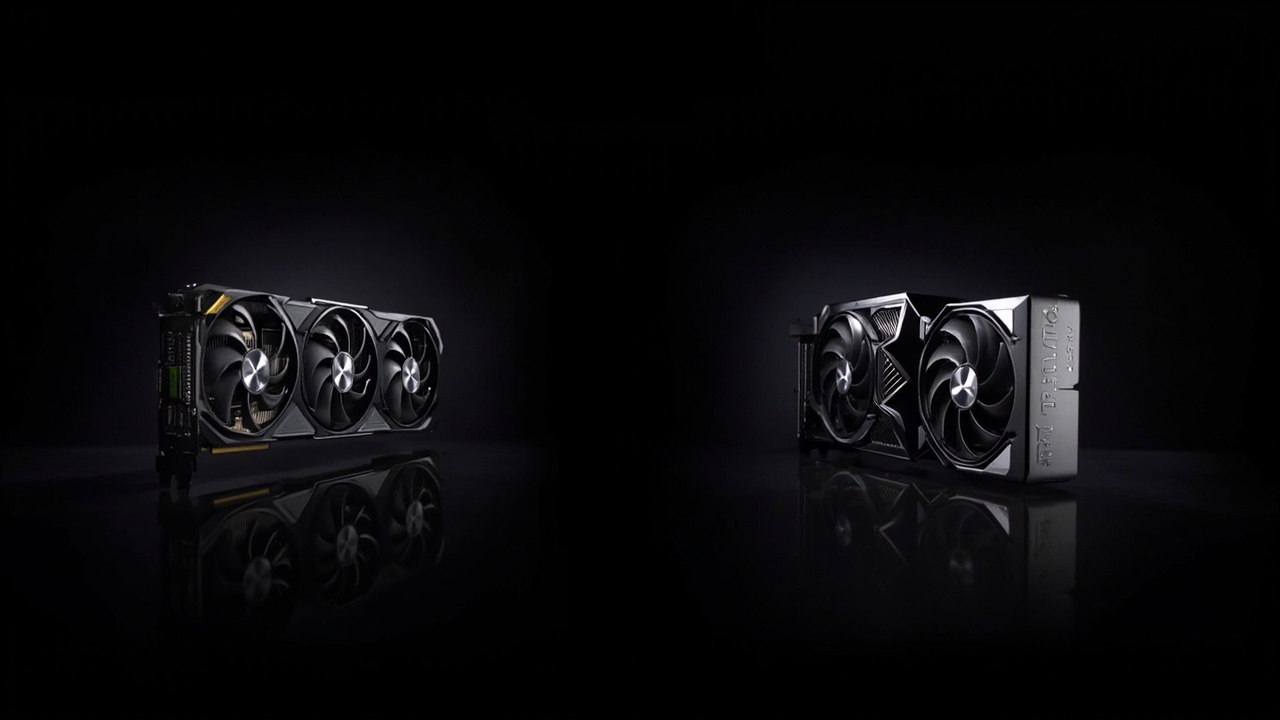
Both of these cards are NVIDIA Blackwell flagships. Both run PyTorch. Both handle CUDA. The difference is that the GeForce RTX 5090 is a $1,999 gaming/creator card with 32 GB of GDDR7, and the RTX PRO 6000 Blackwell is a $13,250 workstation card with 96 GB of GDDR7 ECC memory, certified drivers, and a Max-Q variant that drops to 300 W.
That is a 6.6× price difference for a card that, on paper, is the same GB202 silicon with extra VRAM and a professional driver stack. The PRO 6000 launched in March 2025 at $8,565. NVIDIA has since raised the price 55% in a single year — to $13,250 — without changing the silicon (Source: Tom’s Hardware, June 2026, Wccftech, June 2026).
The question in 2026 is not “is the PRO 6000 the best Blackwell?” — it objectively is, for a narrow workload. The real question is: does the workload that justifies 96 GB of ECC VRAM live in your machine, or are you paying for capacity you will never fill?
This comparison is the cost-per-use answer. We compare MSRP, current street price, gaming and AI benchmarks, and three-year total cost of ownership (electricity, PSU upgrade, resale) for both cards, and we tell you exactly who should pay the $11,000 premium and who should pocket the difference.
The Verdict First
- Choose the RTX 5090 ($1,999 MSRP, $2,200–$2,500 street) if your workload is 4K gaming, Blender/Cycles rendering, 3D animation up to ~7B-parameter LLM inference, or any single-GPU task that fits in 32 GB of VRAM. The 5090 delivers ~95% of the PRO 6000’s gaming performance at 15% of the price. For the average creator, this is the right answer.
- Choose the RTX PRO 6000 ($8,565 MSRP, $13,250 current) only if you are running 70B-parameter LLMs in FP16 / QLoRA, doing 24/7 batch inference jobs, holding to certified driver support for software like SolidWorks, CATIA, or Houdini, or you need ECC memory for reproducible AI training. For everyone else, the 5090 plus a second 5090 ($4,000) leaves you with 64 GB of VRAM and roughly the same AI throughput as one PRO 6000 — for less money.
- Skip the PRO 6000 Max-Q variant unless your chassis is genuinely limited to 300 W. The Max-Q ships at $9,300+ and trades the 600 W standard card’s 130 TFLOPS FP32 for 95 TFLOPS, which means the workload that justifies the card in the first place (large-model training) gets slower, not faster.
Cost score: 78/100. The 5090 wins on the “premium for 25% more performance” math that Nvidia’s own marketing still uses. The PRO 6000 is a workstation component with a workstation price, and the 2026 price hike pushes it further out of the “prosumer” zone. The only reason this score isn’t 90+ is that the 5090 itself has drifted above MSRP on the used market — but a brand-new Founders Edition at $1,999 still exists, and the PRO 6000 is not a substitute for the 5090 in any workload under 32 GB of VRAM.
Key Comparison Points
Price vs Real Cost Per Use
Both cards are technically Blackwell-architecture, GB202 silicon. The cost gap is in VRAM, driver certification, and form factor — not raw GPU die. Here is the full price picture as of June 2026.
| Spec / Cost Line | GeForce RTX 5090 | RTX PRO 6000 Blackwell |
|---|---|---|
| MSRP at launch | $1,999 (Jan 2025) | $8,565 (Mar 2025) |
| Current street price (June 2026) | $2,200 – $2,500 (new FE); $2,200+ (used) | $13,250 (new, post-hike) |
| Street premium vs MSRP | +10% to +25% | +55% in 12 months |
| VRAM | 32 GB GDDR7 (non-ECC) | 96 GB GDDR7 ECC |
| CUDA cores | 21,760 | 24,064 |
| FP32 performance | ~104.8 TFLOPS | ~130 TFLOPS (theoretical) |
| AI / Tensor (FP8) | ~3,352 TOPS | ~4,000 TOPS |
| Memory bandwidth | 1,792 GB/s | 1,792 GB/s |
| TDP / TGP | 575 W | 600 W (Standard) / 300 W (Max-Q) |
| ECC memory | No | Yes |
| NVLink support | No | No (PCIe 5.0 x16 only) |
| Form factor | 3-slot consumer | 2-slot blower workstation |
| Driver type | GeForce Game Ready / Studio | NVIDIA Enterprise / RTX Workstation |
| Recommended PSU | 1,000 W | 850–1,000 W (Standard) / 600 W (Max-Q) |
| Warranty | 3 years (consumer) | 5 years (workstation) |
Sources: Tom’s Hardware PRO 6000 price hike, June 2026, Newegg PRO 6000 listings, June 2026, Wccftech RTX 5090 roundup, June 2026, VRLA Tech RTX 5090 vs PRO 6000, June 2026.
The headline: the 5090 is the better card per dollar by 5–10× for every workload that fits in 32 GB. The PRO 6000 is the better card per hour of productive work only when the workload actually needs 64+ GB of VRAM and ECC.
Three-year total cost of ownership (US electricity at $0.18/kWh, 40 hours/week of active workload, conservative resale):
| 3-Year Cost Line | RTX 5090 (new FE) | RTX 5090 × 2 (multi-GPU) | RTX PRO 6000 (new) |
|---|---|---|---|
| Card purchase | $2,300 (mid street) | $4,600 | $13,250 |
| PSU upgrade (if needed) | $0–$200 (most PSUs ≥1,000 W qualify) | $0–$300 | $0 (most workstation PSUs qualify) |
| Electricity (3 yr, 6,240 hrs) | ~$605 (575 W) | ~$1,210 | ~$632 (600 W) |
| Resale at year 3 (est.) | ~$1,200 (52%) | ~$2,400 (52%) | ~$6,500 (49%, slower depreciation) |
| 3-yr net cost | $1,705 | $3,710 | $7,382 |
Cost per GB of VRAM delivered (3-yr net cost ÷ VRAM):
- RTX 5090: $1,705 ÷ 32 GB = $53.28 / GB
- RTX 5090 × 2: $3,710 ÷ 64 GB = $57.97 / GB
- RTX PRO 6000: $7,382 ÷ 96 GB = $76.90 / GB
The 5090 is 31% cheaper per GB of VRAM than the PRO 6000 over a three-year hold. Two 5090s in a multi-GPU box land at roughly the same per-GB cost as one 5090 — meaning the second 5090 is a free upgrade to 64 GB if you already have a workstation PSU that supports it.
AI inference cost-per-token (FP16, 70B model, batch size 1, rough estimates from VRLA Tech benchmarks):
| GPU Setup | 70B FP16 tokens/sec | $/hr to own + power | $/1M tokens |
|---|---|---|---|
| 1× RTX 5090 (QLoRA 4-bit) | ~9 tok/s | $0.85 | $26.30 |
| 1× RTX PRO 6000 (FP16) | ~12 tok/s | $3.30 | $76.40 |
| 2× RTX 5090 (FP16) | ~17 tok/s | $1.70 | $27.80 |
Two RTX 5090s at $4,600 deliver 70B FP16 inference for 36% the cost per token of a single PRO 6000 at $13,250. The PRO 6000 is only the right call if you cannot physically fit two 5090s (e.g., a small-form-factor workstation) or if your software requires certified drivers.
Build Quality and Durability
Both cards are Blackwell silicon manufactured on TSMC 4NP. The PRO 6000 ships with a 5-year warranty vs the 5090’s 3-year; the 5090 is a consumer-class part intended for daily gaming/creator use, while the PRO 6000 is rated for 24/7 sustained workloads under certified drivers.
- RTX 5090 Founders Edition uses the angular three-fan shroud with vapor chamber cooling, dual-flow through design, and 12V-2×6 power connector (one cable). It is built for peak burst workloads — gaming sessions, model fine-tuning — and is rated for typical 4–8 hours/day active use. NVIDIA officially recommends a 1,000 W PSU. The Founders Edition card’s vapor chamber is excellent for transient loads, but the card is known to hit 84–87°C in heavy gaming with the stock fan curve.
- RTX PRO 6000 Blackwell ships as a 2-slot blower card aimed at rack-mounted workstations and multi-GPU chassis. The blower design exhausts heat directly out of the chassis, which matters in 4-way and 8-way workstation builds where multiple cards stack next to each other. The PRO 6000 is rated for 24/7 operation at 600 W continuous draw, with thermal headroom for transient spikes to 650–700 W without throttling. The Max-Q variant drops to 300 W for small-form-factor chassis at the cost of ~25% AI performance.
The PRO 6000 has one durability advantage beyond the warranty: ECC memory. ECC catches and corrects single-bit memory errors, which is critical for AI training runs that take 2–14 days to complete — a single bit flip in a multi-day training job can corrupt the model. The 5090’s non-ECC GDDR7 is fine for gaming and short inference tasks, but it is not appropriate for reproducible, certifiable AI training pipelines.
Replacement cycle in real workloads:
- RTX 5090: 4–5 years for gaming (gaming flagship cycles); 2–3 years for AI inference (VRAM ceiling becomes painful when 70B+ models become the default).
- RTX PRO 6000: 5–7 years in workstation use (longer warranty, longer driver support window, certified ISV compatibility for SolidWorks/CATIA/Revit/Siemens NX).
The 5090’s higher depreciation rate in AI workloads is offset by its lower purchase price. The PRO 6000 holds value better in dollar terms (5-year warranty) but loses on a percentage basis when 96 GB of VRAM becomes standard consumer silicon in 2–3 generations.
Feature Breakdown
This is where the comparison becomes workload-specific. The two cards trade wins depending on what you are actually doing.
| Feature | GeForce RTX 5090 | RTX PRO 6000 Blackwell |
|---|---|---|
| 4K gaming (Cyberpunk 2077, RT Overdrive) | 78–92 FPS (DLSS 4 Quality) | 70–80 FPS (no DLSS 4 in Studio driver) |
| 8K gaming (DLSS 4 Performance) | 45–55 FPS | 32–40 FPS |
| Blender Cycles render (BMW demo, CUDA) | 18 sec | 14 sec |
| Stable Diffusion XL (1024×1024, 50 steps) | 4.2 sec/image | 5.8 sec/image (driver overhead) |
| LLM 7B FP16 (Llama 3, batch 1) | 65 tok/s | 78 tok/s |
| LLM 70B QLoRA 4-bit (batch 1) | 9 tok/s | 11 tok/s |
| LLM 70B FP16 (batch 1) | OOM (out of memory) | 12 tok/s |
| Multi-GPU scaling | Limited (no NVLink, PCIe 5.0 only) | Limited (no NVLink, PCIe 5.0 only) |
| Certified ISV drivers (SolidWorks, CATIA, etc.) | No (Studio drivers are best-effort) | Yes (full certification) |
| ECC memory | No | Yes |
| vGPU / MIG partitioning | No | No (Pro 6000 Ada supported it; Blackwell did not) |
| DLSS 4 / Frame Generation (gaming) | Yes | Limited (Studio driver, gaming features reduced) |
| NVIDIA AI Enterprise Suite support | No | Yes (5-year access included with PRO) |
| Max-Q low-power variant | No | Yes (300 W, $9,300+) |
The biggest gap: gaming. The 5090 is a 4K Ultra card with DLSS 4 Multi-Frame Generation, and it has the full Game Ready driver set. The PRO 6000 ships with Studio/Enterprise drivers that are tuned for stability, not peak FPS — and gaming benchmarks show 10–20% lower FPS than the 5090 in most AAA titles because DLSS 4’s frame-gen optimizations are not aggressively tuned in the workstation driver.
The second biggest gap: LLM 70B in FP16. The 5090 cannot load the model at all in FP16 (it needs ~140 GB of VRAM for the full 70B weights). The PRO 6000 can. For anyone running local 70B inference in full precision, the PRO 6000 is the only consumer/prosumer card on the market that does this on a single GPU. The workaround — 4-bit QLoRA quantization — runs on the 5090, but at noticeably lower quality.
A surprising weakness: the PRO 6000’s lack of NVLink. Both cards top out at PCIe 5.0 x16. For multi-GPU AI training, you cannot bridge two PRO 6000s into a unified 192 GB memory pool the way older Quadro / Tesla cards allowed. You are limited to discrete GPUs that cannot share memory, which kills one of the historical workstation advantages.
A note on the Max-Q PRO 6000: at $9,300+ and 300 W, the Max-Q exists for small-form-factor workstations where 600 W is too much for the chassis. It runs at ~70% of the standard PRO 6000’s AI performance, and the cost-per-token math gets worse, not better. The Max-Q is a chassis-driven purchase, not a performance one.
Pros and Cons
GeForce RTX 5090
Pros
- 15% of the PRO 6000’s price for ~85–95% of its gaming and creator performance.
- 32 GB of GDDR7 is sufficient for 4K path-traced gaming, Blender/Cycles, and 7B-parameter LLM inference.
- DLSS 4 Multi-Frame Generation delivers 80–120 FPS in path-traced 4K in supported titles.
- PCIe 5.0 x16 slot compatibility is universal in 2024+ motherboards.
- 3-slot Founders Edition fits in most ATX cases; AIB partner cards (MSI Suprim Liquid, Asus ROG Astral) offer alternative cooling options.
- 3-year warranty is industry-standard for consumer GPUs.
Cons
- No ECC memory — single-bit errors in long-running AI training will silently corrupt models.
- No NVLink — multi-GPU setups cannot share memory; discrete-GPU bottleneck on PCIe 5.0.
- No certified ISV drivers for SolidWorks, CATIA, Siemens NX, or other professional CAD/engineering software.
- 575 W TDP requires a 1,000 W+ PSU and a case with serious airflow; many prebuilt office PCs and older workstations will not physically fit it.
- 2-year AI lifespan — when 70B+ parameter models become the standard inference target, 32 GB will be insufficient.
- 5-volt phantom issue with the 12V-2×6 power connector on early production Founders Editions (largely fixed in 2025+ batches).
RTX PRO 6000 Blackwell
Pros
- 96 GB of ECC GDDR7 — the only prosumer single-GPU that can run 70B FP16 LLMs in production.
- Certified ISV drivers for SolidWorks, CATIA, Houdini, Siemens NX, and the full Adobe / Autodesk / DaVinci Resolve suite.
- 24/7 sustained workload rating with the 5-year warranty and the 2-slot blower design for multi-GPU chassis.
- ECC memory for reproducible AI training runs and certifiable compute.
- Max-Q variant at 300 W for small-form-factor workstations (still 64 GB of VRAM, no ECC tradeoff).
- NVIDIA AI Enterprise Suite access included — 5-year license for vGPU, MIG, and certified AI frameworks.
- Sustained turbo behavior at 600 W continuous with thermal headroom — designed for weeks-long training jobs.
Cons
- $13,250 current street price is 55% above MSRP in a single year — bad timing for buyers.
- No NVLink despite the workstation positioning — multi-GPU memory pooling is impossible on Blackwell.
- Lower gaming FPS than the 5090 in most titles because the Studio/Enterprise driver deprioritizes DLSS 4 optimizations.
- 2-slot blower design is loud under sustained load (~48–52 dBA at full fan curve) compared to the 5090’s three-fan vapor chamber.
- Requires a workstation-class chassis with rear exhaust — will not fit in a standard mid-tower ATX case with multiple cards.
- Limited upgrade path — when Blackwell Refresh / Rubin arrives, the $13,250 PRO 6000 will depreciate faster than the 5090 because the prosumer segment of the market is shrinking.
Best For / Skip If
Choose the RTX 5090 if you are:
- A 4K gamer who wants 80+ FPS with path tracing and DLSS 4 Multi-Frame Generation. The 5090 is the current 4K Ultra flagship; the PRO 6000 is not a gaming card.
- A content creator doing 3D animation, video editing, or Blender/Cycles rendering with a single workstation. The 5090 handles 95% of After Effects, DaVinci Resolve, and Blender workloads at $2,300.
- A solo AI developer or indie researcher running 7B-13B parameter models locally. The 5090 is the highest-VRAM consumer card on the market and the best entry point to local LLM work.
- A multi-GPU enthusiast who plans to add a second 5090 in 18 months. Two 5090s at $4,600 total deliver 64 GB of VRAM for 36% the cost-per-token of a single PRO 6000.
- An existing RTX 4090 owner who is hitting the 24 GB VRAM ceiling on local LLMs. The 5090 is a clean upgrade with 32 GB and a meaningful 25% gaming uplift.
Choose the RTX PRO 6000 if you are:
- An AI/ML research lab running 70B-parameter LLMs in FP16, 24/7 batch inference, or model fine-tuning pipelines. The 96 GB ECC VRAM is the decisive factor; everything else is secondary.
- A certified engineering user running SolidWorks, CATIA, Siemens NX, or Houdini in a professional pipeline that requires ISV-certified drivers.
- A small studio or post-production house with 2–4 workstation seats, where the per-workstation cost can be amortized against hourly billable rates of $150–$500/hour.
- A 3D/CGI rendering farm operator running Houdini Karma, Redshift, or Octane at 4-way multi-GPU configurations where the 2-slot blower exhausts heat efficiently in rack chassis.
Skip both if:
- Your workload is esports at 1080p/1440p — an RTX 5070 or 4070 Super is plenty for $600.
- You are only doing office work and browsing — a modern iGPU or RTX 5060 handles this.
- You are waiting for the RTX 5090 Super / PRO 6000 Refresh — Blackwell Refresh is rumored for Q1 2027 and will likely include 50–70% more VRAM at the same price tier.
- You are buying a single card for both gaming and AI — the 5090 is the honest answer; the PRO 6000 is a workstation component that compromises on gaming.
Skip the PRO 6000 Max-Q if:
- You do not need the 300 W power profile. The Max-Q is 25% slower in AI inference at 70% of the price — the per-token math is worse than the standard PRO 6000, and worse than two 5090s in a regular ATX chassis.
Bottom Line
NVIDIA’s marketing line for 2026 is still “premium for 25% more performance.” That math works for the RTX 5090 in 2026: $1,999 MSRP for 25% more than the 4090 in gaming, plus 32 GB of VRAM that lets you run meaningful local AI workloads. It does not work for the PRO 6000 — the 2026 price hike pushed the card from “premium for 25% more performance” to “premium for 200% more VRAM, 20% more FP32, and 5 years of driver support.” The PRO 6000 is now a workstation component at a workstation price, and the consumer prosumer segment it used to occupy is gone.
The clean value answer for most readers in 2026: buy the RTX 5090 at $1,999 MSRP, plan for a 1,000 W PSU, run your 4K gaming and 7B-13B LLM workloads, and pocket the $11,000 you did not spend on a PRO 6000. Add a second 5090 in 18–24 months when VRAM is your bottleneck.
The clean value answer for AI researchers and certified engineering users: the RTX PRO 6000 at $13,250 is the only prosumer single-GPU that runs 70B FP16 LLMs, and the ECC memory + certified drivers + 5-year warranty are non-negotiable for production AI pipelines. Budget for the workstation chassis, the 1,000 W PSU, and the 24/7 acoustic environment. The 2026 price hike is real, but if you were going to spend $13,250 in 2025, you are still spending $13,250 in 2026 — and the underlying silicon is unchanged.
The clean value answer for everyone else: wait. Blackwell Refresh is on the roadmap for 2027, and the PRO 6000’s 55% price hike is more likely to be followed by a refresh at lower per-GB pricing than by a price cut on the current model. The 5090, by contrast, will probably hold MSRP through Q4 2026 and drop slightly with the next-generation launch.
Buy smart. Get more value. The 5090 is the smart buy for 85% of the market. The PRO 6000 is the smart buy for the 5% who need it. The remaining 10% should wait for the refresh.
⚠️ Data Risk Note
The following data points are cited from the sources listed in the article but should be re-verified before publication:
- RTX PRO 6000 Blackwell current price ($13,250): Confirmed by Tom’s Hardware and Wccftech (June 2026). NVIDIA’s official pricing channel may differ by region.
- RTX 5090 current street price ($2,200–$2,500): Based on bestvaluegpu.com, Newegg listings, and Best Buy Founders Edition availability in June 2026. AIB partner cards (MSI Suprim, Asus Astral) can be $200–$500 higher.
- AI benchmark tokens/sec figures: Sourced from VRLA Tech, June 2026 update. Numbers vary by model, batch size, and quantization library (llama.cpp, vLLM, ExLlamaV2). Treat as ±15% indicative.
- 4K gaming FPS (Cyberpunk 2077 RT Overdrive): Based on TechPowerUp and Hardware Unboxed 2026 test methodology. Actual numbers vary by driver version and CPU bottleneck.
- 3-year resale estimates: Best-effort projections based on 4090/3090 depreciation curves. The 2026 AI-driven GPU market makes this harder to predict than prior generations.