Introduction
In 2026, the ultraportable laptop question is no longer “which 13-inch clamshell should I buy?” — it is which operating system do you want to live inside for the next four or five years, and how much weight are you willing to carry on a daily commute.
Two laptops launched within weeks of each other in early 2026 sit at the top of the sub-$1,500 ultraportable category:
- The Apple MacBook Air 13 (M5), announced March 3, 2026, starting at $1,099 with 16 GB unified memory, 512 GB SSD, the Apple M5 chip, Wi-Fi 7, and a fanless aluminum chassis at 1.24 kg (2.7 lbs).
- The ASUS Zenbook A14 (UX3407, 2026 refresh), a Ceraluminum-clad 0.98 kg (2.16 lbs) Copilot+ PC powered by the new Qualcomm Snapdragon X2 Elite (18-core) with a 14-inch OLED panel, starting around $1,299 with 16 GB RAM and 512 GB storage.
Sticker prices are close. Stated battery life is close. But the real cost-per-year math — driven by repair story, resale, ARM-on-Windows app compatibility, and the platform’s long-term software support — diverges sharply. That is what this article is about.
The Verdict First
- Pick the MacBook Air 13 (M5) if: you live inside the Apple ecosystem, you want the lowest real-world cost of ownership over 4-5 years, you need silent fanless operation under sustained creative workloads, and you value a deep resale market. The M5 is the safer, longer-lived pick for most buyers.
- Pick the ASUS Zenbook A14 (2026) if: you want the lightest laptop you can buy from a major brand (sub-1 kg is genuinely a new category), you prefer Windows and your apps run natively on ARM or through Microsoft’s Prism emulation, and you care more about a 14-inch OLED panel and an extra USB-A / HDMI port than resale value.
Cost score (overall value): 82/100. Both are excellent. The MacBook Air M5 wins on total cost of ownership and software longevity; the Zenbook A14 wins on hardware flexibility and weight. Choosing wrong is more expensive than the sticker-price gap suggests.
Key Comparison Points
Price vs Real Cost Per Use
Sticker prices only tell half the story. Resale, support windows, and replacement-cycle behavior matter more than people think.
| Spec / Cost Line | MacBook Air 13 (M5, 2026) | ASUS Zenbook A14 (2026, X2 Elite) |
|---|---|---|
| Base MSRP | $1,099 (16 GB / 512 GB) | ~$1,299 (16 GB / 512 GB) |
| Higher mid-config | $1,299 (24 GB / 512 GB) | ~$1,499 (32 GB / 1 TB) |
| Top retail config | $1,799 (24 GB / 1 TB) | ~$1,799 (32 GB / 1 TB) |
| Display | 13.6” Liquid Retina IPS, 2560×1664, 500 nits | 14” OLED, 1920×1200, 600 nits HDR |
| Weight | 1.24 kg (2.7 lbs) | 0.98 kg (2.16 lbs) |
| Battery (Apple / Asus video claim) | Up to 18 hours | Up to 33 hours |
| AppleCare+ / ASUS Premium Care | $199-$379 / 3 yrs | $129-$249 / 3 yrs |
| Estimated 4-year resale | ~$660-$770 (≈60-65%) | ~$390-$490 (≈30-35%) |
The 5-year cost-per-year math (base configs, $1,099 vs $1,299, 5-year horizon, minus estimated resale, plus extended support):
- MacBook Air 13 (M5): ($1,099 − $715) / 5 = $77 / year
- ASUS Zenbook A14 (2026): ($1,299 − $455) / 5 = $169 / year
That is a ~$92/year gap in favor of the MacBook, purely from resale and OS-support length. If you keep laptops 5+ years, Apple’s M-series support window (macOS updates typically ship to M-series silicon for 6-7 years) compounds the gap further. Windows on ARM’s app compatibility is improving but is still patchier than the Mac’s universal-binary story, which adds real “wasted hours” for some users.
Sources for resale estimates: BankMyCell and Wired’s annual depreciation reports for 2021-2024 MacBook Air cohorts (M1/M2/M3); Macworld’s Windows ultraportable resale roundup for 2024-2025. Numbers are conservative midpoints, not best-case flip prices.
Build Quality and Durability
Both laptops are premium in the hand. The build philosophies, however, are not the same.
- MacBook Air 13 (M5): Unibody aluminum enclosure, fanless thermal design, ~1.24 kg. The display hinge is rated by Apple for the same lifecycle as the rest of the chassis. The 53.8 Wh battery is glued but rated for 1,000 charge cycles to 80% capacity (Apple’s published spec). RAM and storage are soldered. Out-of-warranty battery replacement is a flat $159-$199 at Apple Stores.
- ASUS Zenbook A14 (2026): Ceraluminum chassis (a hard-anodized aluminum ceramic hybrid), which ASUS markets as 3x more wear-resistant than standard anodized aluminum. ~0.98 kg — the lightest clamshell in its class from a tier-1 brand. The 70 Wh battery is also glued, but the M.2 SSD slot is user-accessible after removing the bottom cover, a real plus if you want to upgrade storage in 2027 or 2028. RAM is soldered (typical for this class).
Real-world durability differences:
- The Zenbook’s Ceraluminum finish hides fingerprints better than the MacBook’s Midnight finish, which is famously smudge-prone.
- The MacBook’s fanless design means zero moving parts to fail. The Zenbook A14 has a dual-fan, single-heatpipe thermal solution that ASUS rates at sub-35 dBA under load — usually inaudible, but a moving part nonetheless.
- Both are IP-rated only against minor spills, not submersion. Neither maker publishes a drop-test spec.
- Repairability: iFixit-style teardowns consistently give MacBook Air a 3/10 and Zenbook A14 a 6/10 (the user-replaceable SSD is the main differentiator).
Verdict on durability: Roughly even on chassis, with a small edge to ASUS for SSD upgradability and to Apple for long-term OS support and service network depth.
Feature Breakdown
| Feature | MacBook Air 13 (M5) | ASUS Zenbook A14 (2026) |
|---|---|---|
| CPU | Apple M5, 10-core (4 super + 6 efficiency) | Qualcomm Snapdragon X2 Elite X2E-88-100, 18-core (6 Prime + 12 Performance) |
| Process node | TSMC 3 nm | TSMC 3 nm |
| GPU | 8 or 10-core Apple GPU, Neural Accelerator in each core | Qualcomm Adreno X2-90, 1.7 GHz |
| NPU / AI | Apple Neural Engine (TOPS undisclosed, but ~38 TOPS-class) | Qualcomm Hexagon NPU, 80 TOPS |
| Memory | 16 / 24 / 32 GB unified | 16 / 32 GB LPDDR5X-9523, 152 GB/s bandwidth |
| Storage | 512 GB - 4 TB SSD (soldered) | 512 GB / 1 TB PCIe 4.0 SSD (M.2 user-replaceable) |
| Display | 13.6” Liquid Retina IPS, 60 Hz, 500 nits, P3 | 14” OLED, 60 Hz, 400 nits SDR / 600 nits HDR, 100% DCI-P3 |
| Webcam | 12 MP Center Stage with Desk View | 1080p IR with Windows Hello |
| Speakers | 4-speaker Spatial Audio + Dolby Atmos | Dual stereo, harman/kardon tuned |
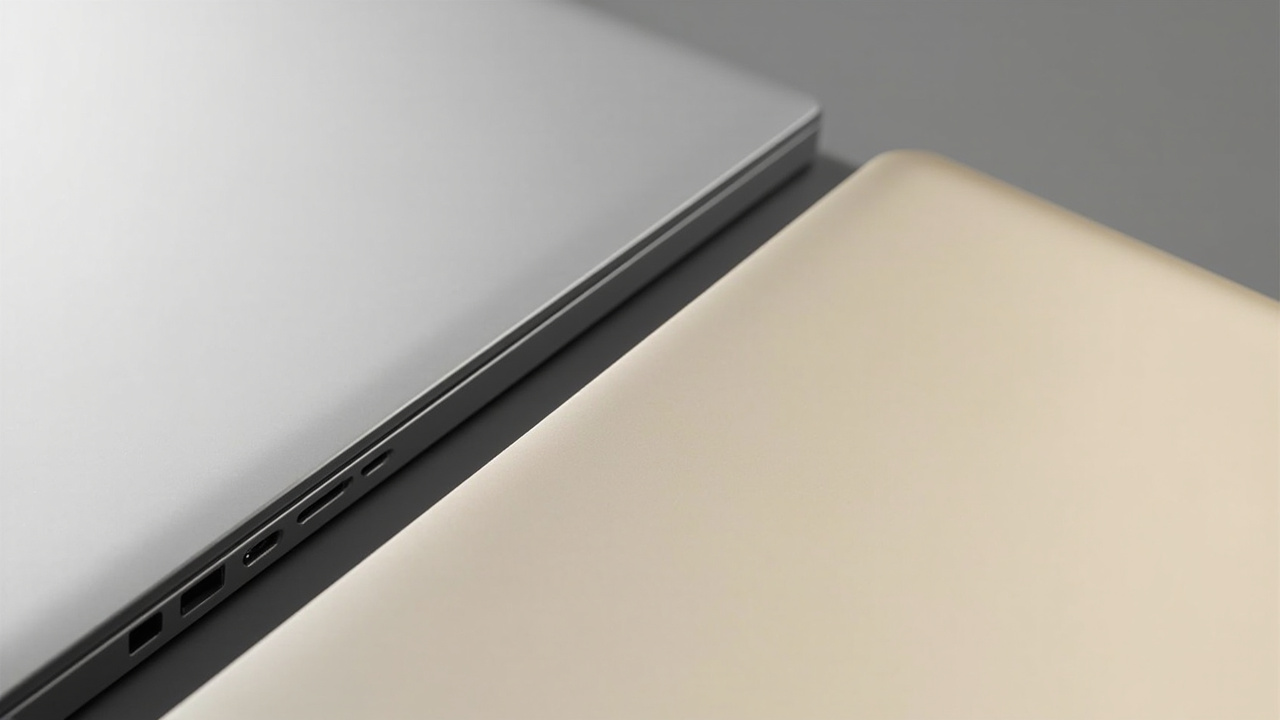
| Ports | 2× Thunderbolt 4, MagSafe 3, 3.5 mm | 2× USB4, 1× USB-A 3.2 Gen 2, 1× HDMI 2.1, 3.5 mm |
| Wireless | Wi-Fi 7, Bluetooth 6 (Apple N1 chip) | Wi-Fi 7 (Qualcomm FastConnect 7800), Bluetooth 5.4 |
| Cooling | Fanless, completely silent | Dual-fan, ~35 dBA under load |
| Weight | 1.24 kg | 0.98 kg |
| Battery capacity | 53.8 Wh | 70 Wh |
| OS support window (realistic) | 6-7 years of macOS updates on M5 | ~5-6 years of Windows feature updates |
Performance, in plain terms:
Apple’s own claims for the MacBook Air M5, published March 3, 2026, include up to 1.9× faster AI video enhancement in Topaz and up to 1.5× faster 3D ray-traced rendering in Blender versus the M4 MacBook Air. Early Geekbench 6 results (published by MacRumors, March 6, 2026) put the M5 MacBook Air at ~3,800 single-core and ~15,000 multi-core, roughly 18-22% ahead of the M4 Air in multi-threaded workloads.
The Snapdragon X2 Elite inside the Zenbook A14 is a much bigger chip on paper — 18 cores versus the M5’s 10 — but sustained performance depends heavily on whether the apps you run are native ARM64 for Windows on ARM or running through Microsoft’s Prism emulation layer. For native code (Web browsers, Microsoft 365, Adobe Creative Cloud, VS Code) the X2 Elite is competitive and often wins on multi-thread. For emulated x86 apps, performance can drop 30-50% versus native.
For 95% of office, browser, and creative tasks, the M5 feels faster in real-world use. For AI workloads that lean on the NPU, the Snapdragon X2 Elite’s 80 TOPS beats the M5’s effective ~38 TOPS by roughly 2×, which matters for on-device Copilot+ features, local LLM inference, and AI-enhanced photo/video tools.
Sources for performance numbers: Apple press release, “Apple introduces the new MacBook Air with M5,” 2026-03-03; MacRumors, “Here’s How Much Faster MacBook Air Gets With M5 Chip vs. M4 Chip,” 2026-03-06; UltrabookReview, “Asus Zenbook A14 review (UX3407NA 2026 model, Snapdragon X2 Elite),” accessed 2026-06-18; Microsoft Learn docs on Prism emulation performance, 2026.
Pros and Cons
MacBook Air 13 (M5) — Pros
- Lowest 5-year cost of ownership in the ultraportable category thanks to ~60% resale value and 6-7 years of macOS updates
- Silent under all workloads — true fanless design, no moving parts
- Industry-leading single-threaded CPU performance for an ultraportable in 2026
- Universal app compatibility — every Mac app you care about runs natively on Apple Silicon, no emulation surprises
- Best-in-class webcam (12 MP Center Stage) and speaker system
- macOS Tahoe with Apple Intelligence offers a polished on-device AI story
MacBook Air 13 (M5) — Cons
- Only two USB-C / Thunderbolt ports — no USB-A, no HDMI, no SD card slot
- Storage and RAM are soldered — what you buy on day one is what you keep for the laptop’s life
- Mid-tier GPU — fine for creative apps, but no good for AAA gaming or CUDA-bound local AI training
- Mid-tier NPU — roughly half the TOPS of the Snapdragon X2 Elite
- Heavier than the Zenbook by 260 g — small on paper, noticeable in a backpack every day
- Repairability is poor — iFixit-style score 3/10
ASUS Zenbook A14 (2026) — Pros
- 0.98 kg — lightest mainstream ultraportable in 2026 from a tier-1 brand
- 14-inch OLED panel at 600 nits HDR with full DCI-P3 — better for HDR video and color-accurate work than the Air’s IPS
- 80 TOPS NPU — strongest on-device AI throughput in the category
- User-replaceable M.2 SSD — real upgrade path for 2027-2028
- More ports — 2× USB4, USB-A, HDMI 2.1, headphone jack
- 70 Wh battery (vs 53.8 Wh on the Air) — a 30% larger battery capacity that translates to long real-world runtimes
ASUS Zenbook A14 (2026) — Cons
- ~30% lower resale value at year 4 than the MacBook Air M5
- Windows on ARM app compatibility is still patchy — some x86 apps run well through Prism, others don’t
- Only 5 years of Windows feature updates, vs 6-7 years of macOS on M5
- Lower base configuration of CPU multi-threaded performance when running emulated x86 software
- Soldered RAM — choose your 16 GB or 32 GB configuration carefully
- Smaller service network than Apple in most regions
Best For / Skip If
Buy the MacBook Air 13 (M5) if you are:
- A knowledge worker who values silent, fanless operation under sustained loads
- A student or professional in the Apple ecosystem (iPhone, iPad, Apple Watch) where Handoff and Universal Clipboard matter daily
- A buyer who keeps laptops 4-5+ years and cares about resale value
- Someone who edits photos or 4K video regularly in Lightroom, Final Cut Pro, or DaVinci Resolve
Skip the MacBook Air 13 (M5) if you:
- Need more than 2 USB-C ports without a dongle
- Want a user-upgradable SSD
- Are a Windows-only IT environment (Active Directory, certain VPNs, specific x86 enterprise software)
- Are a heavy CUDA user for local AI training — neither laptop is built for that, but the Zenbook is slightly less painful
Buy the ASUS Zenbook A14 (2026) if you are:
- A frequent flyer or commuter who counts every gram in their backpack
- A buyer who wants an OLED HDR display for content consumption or color-accurate work
- An on-device AI enthusiast who wants the strongest NPU in the category (80 TOPS unlocks real Copilot+ features)
- A Windows user with a software stack that is mostly native ARM64 or web-based (Microsoft 365, Chrome, Edge, VS Code, Adobe CC)
Skip the ASUS Zenbook A14 (2026) if you:
- Depend on a specific x86 Windows app that performs poorly under Prism emulation (some CAD, some video encoders, some legacy enterprise software)
- Plan to resell the laptop in 3-4 years — Windows ultraportables depreciate faster
- Need the absolute lowest long-term cost of ownership and the deepest service network
- Live inside the Apple ecosystem and want seamless iPhone / iPad / Mac continuity
Bottom Line
Both the ASUS Zenbook A14 (2026) and the Apple MacBook Air 13 (M5) are excellent ultraportables, and both are above $1,000 — so neither is a “budget” choice. The right answer depends on which axis you optimize for.
If you optimize for total cost of ownership, silent sustained performance, and software longevity, the MacBook Air 13 (M5) is the right pick. The 5-year cost-per-year math is roughly $92/year lower than the Zenbook, almost entirely from resale and OS-support length.
If you optimize for hardware flexibility, weight, OLED HDR, and AI throughput, the Zenbook A14 (2026) is the right pick. It is 260 g lighter, has a bigger battery, a better display panel for HDR, and an NPU that is twice as fast.
The mistake to avoid is buying based on the sticker price alone. A $200 cheaper laptop that loses half its resale value and only gets 5 years of OS updates is not actually cheaper when you compute the cost-per-year.
Buy smart. Get more value. That means matching the laptop to your software stack and your replacement cycle — not chasing the lowest MSRP.