Introduction
If you are about to spend $599 to $2,599 on an iPad in 2026, the choice between the iPad Air M4 and the iPad Pro M5 is sharper than it looks.
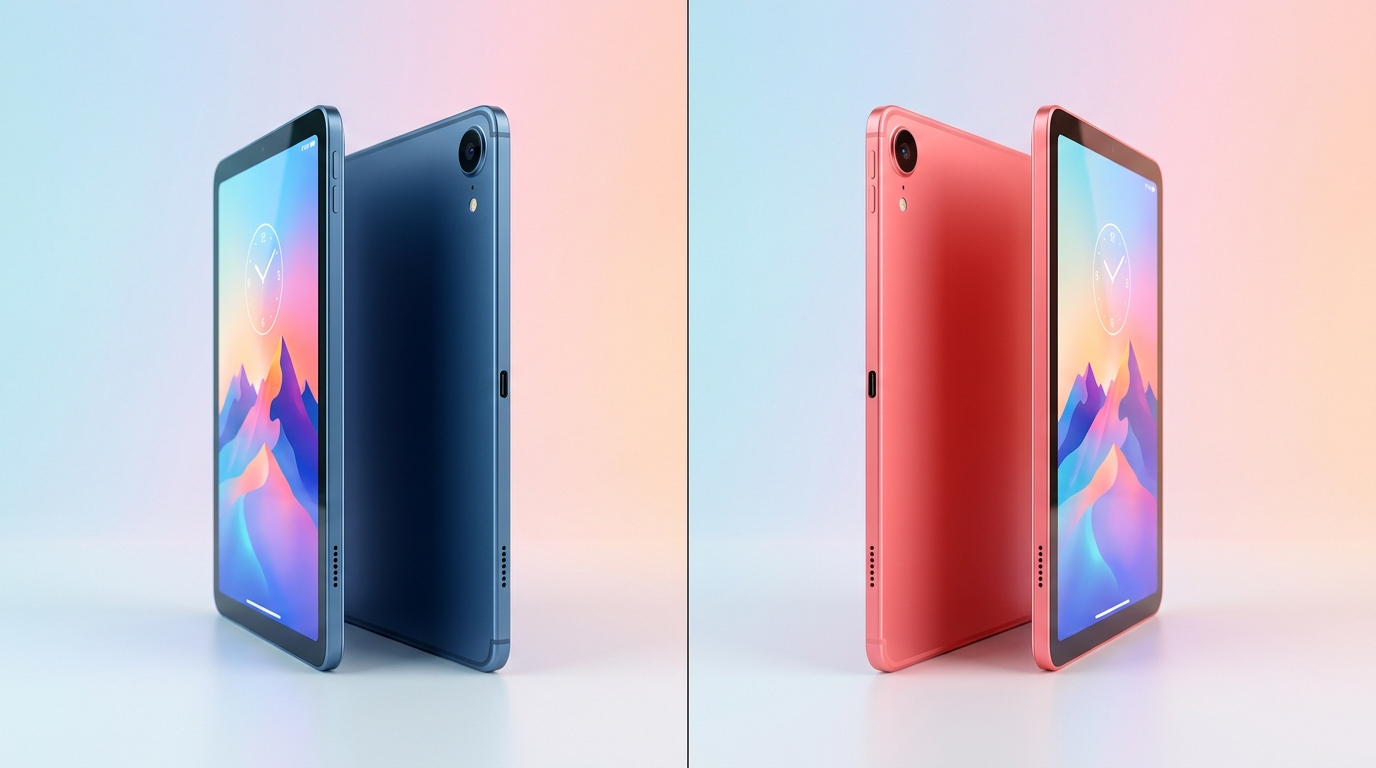
The iPad Air 11” (M4, 2025) starts at $599 with the M4 chip, 12 GB of unified memory, and an 11-inch Liquid Retina display. The iPad Pro 11” (M5, 2025) starts at $999 with the M5 chip, 12 GB unified memory, ProMotion 120 Hz, and the brighter Tandem OLED panel. A $400 starting price gap. Both run the same iPadOS 26 app library. Both support Apple Pencil Pro. Both work with the Magic Keyboard.
The question is not “which one is faster” — both are massively over-spec for 90% of what people do on an iPad. The question is which features actually justify the $400 markup for your workflow, and which one will give you better long-run value if you keep it 4-6 years.
This is the BuyCospa lens: not “which has the longer spec sheet,” but price ÷ (useful years × hours of real work). For a student who reads PDFs and writes papers, that ratio looks very different than for a video editor exporting 4K ProRes timelines.
The Verdict First
- Choose the iPad Air M4 at $599 if your workload is note-taking, reading, browsing, light photo editing, and casual creative apps. You get the same M4 chip and the same 12 GB of unified memory as the iPad Pro’s predecessor, Apple Pencil Pro support, and 80% of the iPad experience for 40% less money. This is the right answer for most students, casual creatives, and upgraders from an iPad Air M1 or older.
- Choose the iPad Pro M5 at $999 if you actually use the features that distinguish it: ProMotion 120 Hz for drawing and animation, the Tandem OLED display for HDR content review and color-critical work, the M5’s extra GPU cores for sustained video export, 3D rendering, or local LLM/AI workflows, and the Thunderbolt / USB 4 port for fast external SSD workflows.
- Skip the 13-inch iPad Pro unless you specifically need the larger canvas. The iPad Air 13” (M4) at $799 gives you the same M4 performance and screen size for $200 less than the 11” iPad Pro. The 13-inch Pro at $1,299 is the right pick only for users who draw on a large canvas, edit HDR video, or run split-screen creative workflows all day.
Cost score: 82/100. The iPad Air M4 wins on absolute value — you get 90% of the iPad experience for $400 less. The iPad Pro M5 wins on the specific features that justify the premium for power users. The right answer depends on whether you are paying for features you will actually use.
Key Comparison Points
Price vs Real Cost Per Use
The sticker comparison is misleading on its own. The 5-year total cost of ownership — including the accessories Apple sells separately — is the real story.
| Cost Line | Apple iPad Air 11” (M4, 128 GB) | Apple iPad Pro 11” (M5, 256 GB) |
|---|---|---|
| Base MSRP (US, July 2026) | $599 | $999 |
| 13” model MSRP | $799 | $1,299 |
| 256 GB config | $699 | $999 (base) |
| 512 GB config | $899 | $1,199 |
| 1 TB config | Not offered | $1,599 |
| 2 TB config (Nano-texture) | Not offered | $1,999 |
| Cellular add (Wi-Fi + Cellular) | +$150-$200 | +$200 |
| Apple Pencil Pro (sold separately) | $129 | $129 |
| Magic Keyboard (sold separately) | $299 (11”) / $329 (13”) | $349 (11”) / $379 (13”) |
| Total realistic “Pro setup” | $1,027-$1,427 | $1,477-$1,927 |
| AppleCare+ for iPad (2-yr) | $69-$99 | $99-$149 |
| Out-of-warranty repair (typical) | $379-$499 | $599-$799 |
| Resale value, 4 years (estimated) | $240-$300 (40-50%) | $500-$650 (50-65%) |
| 5-year cost (base + Pencil Pro + 4-yr support) | ~$870 | ~$1,300 |
| 5-year cost minus resale | ~$570-$630 | ~$650-$800 |
| Cost per year, 5-yr hold | ~$114-$126 | ~$130-$160 |
The headline: the iPad Air M4 saves you roughly $300-$400 over 5 years after accounting for resale and the accessory bundle both tablets need to be useful. The Pro’s higher resale percentage (50-65% vs 40-50%) closes the gap by about $100, but it does not erase it.
The accessory trap: Both tablets need a Pencil Pro ($129) and likely a keyboard ($299-$379) to be useful for work. This adds $428-$508 to either purchase, which means the effective ratio of “Air cost / Pro cost” is closer to 65-70% rather than 60%. The Pro’s premium shrinks once you are spending real money on both.
The storage trap: The iPad Air M4 maxes out at 1 TB ($899 with 1 TB), while the iPad Pro M5 starts at 256 GB and goes up to 2 TB. If you shoot ProRes video or carry a large offline media library, the Pro’s storage options matter — and the Air’s 128 GB base is genuinely tight for creative work.
Takeaway: If you are not pushing the silicon or storing large media libraries on-device, the iPad Air M4 is the better dollar-for-dollar buy. If you are, the iPad Pro M5’s higher spec ceiling pays back over time through higher resale and longer useful life.

Build Quality and Durability
Both iPads are built to Apple’s typical premium standard. The differences are subtle but real.
Physical specs:
- iPad Air 11” (M4): Aluminum unibody, 6.1 mm thin, ~1.02 lb (462 g), no official IP rating. Four color options (Blue, Purple, Starlight, Space Gray). Touch ID in the top button.
- iPad Pro 11” (M5): Aluminum unibody, 5.3 mm thin, ~0.98 lb (444 g), no official IP rating. Two color options (Silver, Space Black). Face ID via the TrueDepth camera array.
- iPad Air 13” (M4): Aluminum unibody, 6.1 mm thin, ~1.36 lb (616 g).
- iPad Pro 13” (M5): Aluminum unibody, 5.1 mm thin, ~1.28 lb (579 g).
Real-world durability differences:
- Both lack an IP rating. Unlike the Galaxy Tab S11 Ultra (IP68), neither iPad is officially water-resistant. A spill on the desk is a real risk for both.
- The iPad Pro’s Tandem OLED is brighter but has a slightly higher burn-in theoretical risk if you leave static UI (status bars, game HUDs) on screen for long stretches. Apple’s standard 1-year warranty does not cover burn-in; AppleCare+ extends to two incidents of accidental damage per 12-month period.
- The iPad Pro’s nano-texture glass option (1 TB and 2 TB models only, +$100) reduces glare significantly for outdoor or bright-light use, but adds a soft finish that some users dislike for drawing.
- Repair costs: Apple’s flat-rate iPad Air out-of-warranty repair is $379-$499 depending on damage. For the iPad Pro it’s $599-$799. Both are expensive, but the Pro is meaningfully more costly to fix out of warranty.
Verdict on durability: Both are about equal in real-world lifespan (5-7 years for typical use). The Pro is thinner and lighter, which makes a noticeable difference on long one-handed reading sessions. The Air’s thicker body actually makes it slightly easier to grip. Neither has a meaningful durability advantage.
Feature Breakdown
This is where the two tablets diverge most clearly. The marketing says “M4 vs M5” — the reality is more nuanced.
Performance:
| Spec | iPad Air 11” (M4) | iPad Pro 11” (M5) |
|---|---|---|
| Chip | Apple M4 | Apple M5 |
| CPU cores | 8-core (3 performance + 5 efficiency) | 9-core or 10-core (3-4 super + 6 efficiency) |
| GPU cores | 9-core (8-core on 128 GB model) | 10-core (with Neural Accelerators) |
| Neural Engine | 16-core | 16-core |
| Unified memory | 12 GB | 12 GB (256/512 GB) / 16 GB (1 TB/2 TB) |
| Memory bandwidth | 120 GB/s | 153 GB/s |
In real-world use, the M4 and the M5 feel nearly identical for 90% of iPad apps: browsing, note-taking, email, light photo editing, Procreate, LumaFusion 1080p. Apple’s MacRumors benchmark roundup (late 2025) puts the M5 iPad Pro at roughly 1.4-1.9x faster than the M4 iPad Air in sustained CPU and GPU benchmarks, with the largest gap in pro rendering, ProRes export, and AI workloads.
The M5’s Neural Accelerators in the GPU are the real differentiator. They accelerate on-device AI features in apps like DaVinci Resolve on iPad, Draw Things (Stable Diffusion), and local LLM token generation. If you run AI workflows on the iPad, the M5 is meaningfully faster. If you don’t, the M4 is more than enough.
Display:
| Display Spec | iPad Air 11” (M4) | iPad Pro 11” (M5) |
|---|---|---|
| Panel | Liquid Retina (LED) | Tandem OLED |
| Resolution | 2,360 × 1,640 (264 ppi) | 2,420 × 1,668 (264 ppi) |
| Refresh rate | 60 Hz | ProMotion 10-120 Hz adaptive |
| Peak brightness (HDR) | ~500 nits (600 nits on 13” Air) | ~1,000 nits SDR / 1,600 nits HDR |
| Contrast ratio | ~1,400:1 | 2,000,000:1 |
| Apple Pencil hover | Yes | Yes |
| Nano-texture option | No | Yes (1 TB / 2 TB only) |
This is the biggest real-world difference between the two tablets.
- ProMotion 120 Hz matters most for drawing and animation. Procreate’s brush latency, the smoothness of scrolling, and the way Pencil Pro feels under your hand are noticeably better at 120 Hz. For non-drawing use, the 60 Hz Air display is fine.
- Tandem OLED vs Liquid Retina (LED): The Pro’s OLED has perfect blacks, infinite contrast, and significantly higher brightness for HDR content. If you review HDR video, edit photos in Lightroom, or watch Dolby Vision content, the Pro’s display is meaningfully better. For general use, the Air’s LED is bright and color-accurate enough for almost everyone.
Connectivity:
| Connectivity | iPad Air 11” (M4) | iPad Pro 11” (M5) |
|---|---|---|
| Wi-Fi | Wi-Fi 6E (Wi-Fi 7 on cellular models) | Wi-Fi 7 |
| Bluetooth | 5.3 | 6 |
| Cellular option | 5G (sub-6) with Apple C1X modem | 5G (sub-6) with Apple C1X modem |
| USB-C | USB 3 (10 Gbps) | Thunderbolt / USB 4 (40 Gbps) |
| External display | 1 display up to 6K @ 60 Hz | 1 display up to 6K @ 60 Hz or 5K @ 120 Hz |
| Authentication | Touch ID (top button) | Face ID (TrueDepth) |
The Thunderbolt port is a real Pro feature. If you connect an external SSD for ProRes video editing or move large RAW photo libraries, the Pro’s 40 Gbps Thunderbolt port saves real time. The Air’s USB 3 (10 Gbps) is fine for most users but slow for large media workflows.
Face ID vs Touch ID is mostly preference. Face ID is faster at unlocking the tablet while it’s on the Magic Keyboard. Touch ID works with gloves and masks, and is more reliable for users who wear sunglasses indoors.
Apple Pencil Pro support: Both tablets support the Apple Pencil Pro ($129) with hover, squeeze, barrel roll, Find My, and haptic feedback. This is not a differentiator — both feel identical when drawing or note-taking, with the exception of the ProMotion refresh rate making the Pro’s display feel slightly smoother under the pencil tip.
Magic Keyboard support: Both tablets support the Magic Keyboard, but the Pro gets a slightly more premium version with a function row (the Air’s keyboard lacks it). This is a small but real productivity difference if you use keyboard shortcuts heavily.

Pros and Cons
Apple iPad Air 11” (M4) — Pros
- M4 chip with 12 GB unified memory — the same chip family as the iPad Pro predecessor, more than enough for 90% of iPad workflows
- Starts at $599 — $400 less than the iPad Pro M5 starting price
- 13-inch option at $799 — meaningfully larger canvas for $200 less than the 11-inch iPad Pro
- Apple Pencil Pro support with hover, squeeze, barrel roll, and Find My
- 5-7 year iPadOS update window (Apple’s typical iPad support cycle)
- Strong resale value (40-50% of MSRP after 4 years)
- Touch ID in the top button — works with gloves and masks
- Available in four colors (Blue, Purple, Starlight, Space Gray)
- Magic Keyboard support at $299 (11”) / $329 (13”)
Apple iPad Air 11” (M4) — Cons
- 60 Hz display — no ProMotion, which is noticeable for drawing and scrolling
- 500 nits brightness (600 nits on 13”) — dimmer than the iPad Pro for outdoor use and HDR
- LED panel — limited contrast compared to the Pro’s OLED
- 128 GB base storage — tight for ProRes video, large photo libraries, or offline media
- USB 3 (10 Gbps) — slower external SSD transfer than the Pro’s Thunderbolt
- Wi-Fi 6E on Wi-Fi-only model (Wi-Fi 7 only on cellular) — Pro has Wi-Fi 7 standard
- No Face ID — Touch ID is fine but slower for hands-free unlock
- 8-core GPU on 128 GB model — slightly slower than the 9-core GPU on higher Air configs
Apple iPad Pro 11” (M5) — Pros
- M5 chip with Neural Accelerators — meaningfully faster for AI, video export, and 3D rendering
- Tandem OLED display with ProMotion 120 Hz — best-in-class tablet display, perfect for drawing, HDR video review, and color-critical work
- 1,000 nits SDR / 1,600 nits HDR brightness — usable in direct sunlight, ideal for HDR content
- Nano-texture glass option (+$100, 1 TB/2 TB only) — significant glare reduction for outdoor or bright-light use
- Thunderbolt / USB 4 (40 Gbps) — fast external SSD for ProRes and RAW workflows
- Wi-Fi 7 standard on all configs — future-proofed wireless
- Face ID — faster unlock when the tablet is on the Magic Keyboard
- Storage up to 2 TB — sufficient for large media libraries without external drives
- Magic Keyboard with function row — better productivity accessory experience
- Higher resale value (50-65% of MSRP after 4 years)
- Thinner and lighter than the Air
Apple iPad Pro 11” (M5) — Cons
- $999 starting price — $400 more than the iPad Air M4 for the same core storage class
- 256 GB base storage — better than the Air’s 128 GB, but still tight for ProRes workflows
- Apple Pencil Pro and Magic Keyboard sold separately — adding $478 to the base price
- No water resistance — neither iPad has an IP rating, but the Pro’s higher repair cost ($599-$799) makes a spill more expensive
- Burn-in theoretical risk on OLED — not covered under standard warranty
- Two color options only (Silver, Space Black) — the Air offers more personality
- Smaller ecosystem of optimized apps at this performance level — most iPad apps do not yet use the M5’s Neural Accelerators
Best For / Skip If
Pick the iPad Air 11” (M4) if you are:
- A student who needs a tablet for note-taking, reading PDFs, and writing papers
- A casual creative who uses Procreate, LumaFusion 1080p, or Affinity Designer for hobby projects
- An upgrader from an iPad Air M1 or older who wants a meaningful performance jump without the Pro price tag
- A budget-conscious buyer who wants 90% of the iPad Pro experience for $400 less
- A user who values color options — Blue and Purple are not available on the Pro
- A buyer who prefers Touch ID for mask or glove compatibility
Pick the iPad Pro 11” (M5) if you are:
- A creative professional who draws professionally, animates in Procreate Dreams, or exports ProRes video timelines
- A video editor or colorist who needs HDR reference quality and Thunderbolt-class external storage
- A 3D artist or CAD user who pushes the GPU on Shapr3D, Nomad Sculpt, or Blender for iPad
- An AI / ML tinkerer who runs local LLMs, Stable Diffusion, or on-device fine-tuning — the M5’s Neural Accelerators make a real difference
- A buyer who plans to keep the tablet 6-7 years and values the higher resale and longer useful life
- A user who works outdoors or in bright light — the Pro’s 1,000-nit SDR brightness and nano-texture glass option matter
- Someone who already lives in the Apple ecosystem and has a Mac — the Pro pairs more naturally with Final Cut Pro on Mac for shared ProRes workflows
Skip both if:
- Your only use is streaming Netflix and browsing the web — a $349 iPad (A16) will do the same job for half the cost
- You need a real laptop for software development, large spreadsheets, or Windows-only apps — get a MacBook Air M5 instead
- You are price-sensitive and the total cost (iPad + Pencil Pro + Magic Keyboard) tips over $1,200 — a refurbished iPad Air M2 or M3 from Apple’s Certified Refurbished store is a better value
- You do professional color work — the iPad Pro is excellent, but for sustained color-critical workflows a calibrated external display and a Mac mini is more cost-effective
Bottom Line
The iPad Air M4 and the iPad Pro M5 are both excellent tablets, and both are real “buy smart, get more value” choices if you actually use what they offer. But they are not equivalent, and the $400 starting price gap is only worth paying if you use the features that distinguish the Pro.
For most buyers — students, casual creatives, upgraders from older iPads — the iPad Air M4 at $599 is the right answer. You get the same M4 chip family as the iPad Pro’s predecessor, 12 GB of unified memory, Apple Pencil Pro support, and 5-7 years of iPadOS updates for $400 less. The 60 Hz display and LED panel are noticeable compromises, but they are not dealbreakers for note-taking, reading, browsing, and casual creative work.
For power users — creative professionals, video editors, AI tinkerers, anyone who needs ProMotion 120 Hz for drawing or the Tandem OLED for HDR review — the iPad Pro M5 at $999 earns its markup. The M5’s Neural Accelerators, the Thunderbolt port, and the significantly better display are not gimmicks; they are real productivity features that pay back over the tablet’s useful life.
True value math: $599 to $999 is a lot of money for a tablet, but over a 5-7 year horizon, $85-$200/year is comparable to a few streaming subscriptions. If you use the tablet for actual work, either option pays for itself. The cheap move is to buy a $349 iPad and replace it every two years — that math works out to $175/year with worse performance and no resale. Spending $599-$999 once and keeping it five years is the same annual cost or less, with a far better experience.
Buy smart. Get more value. Pick the iPad that matches the work you actually do, not the one with the longer spec sheet.