Introduction
In 2026 there are exactly two laptops you can walk into a US Apple Store or Microsoft Store and buy new today for under $1,000 that are not total junk: Apple’s MacBook Neo at $699 and Microsoft’s Surface Laptop 13-inch (the entry model of the Surface Laptop 8th Edition family) at $949.99. Every other “budget” ultraportable under $1,000 either cuts RAM to 8 GB and storage to 256 GB (same as these two) while running a last-gen Intel chip on Windows 11, or it cuts more corners than a category this important should allow.
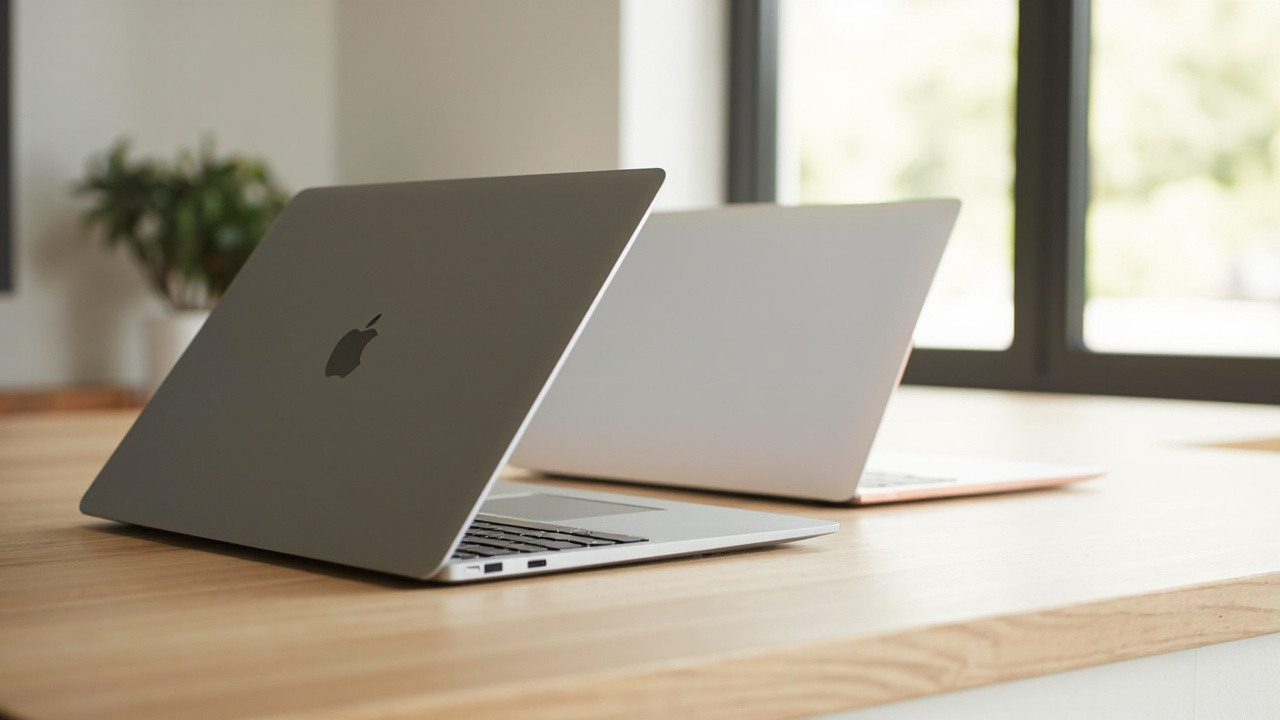
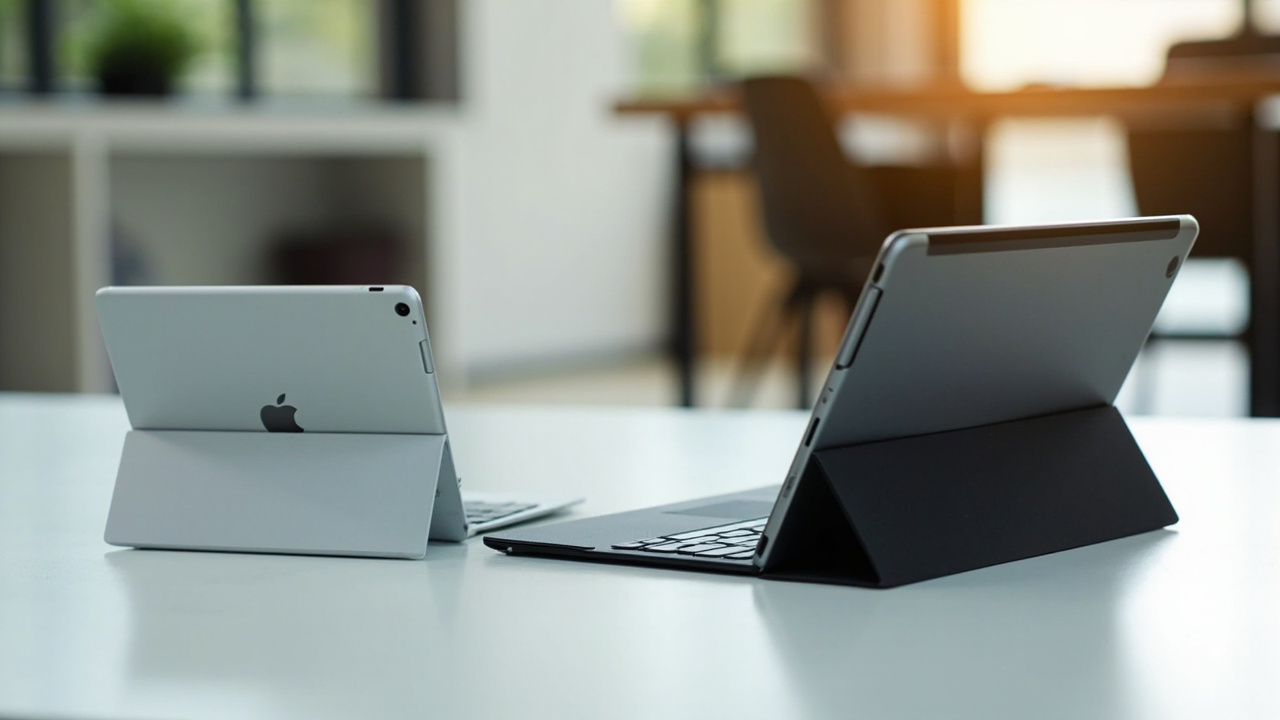
These two laptops also happen to represent the cleanest philosophical split in personal computing right now. The MacBook Neo is the first Mac ever to use an iPhone-class A18 Pro chip rather than an M-series Mac chip — Apple squeezed its phone silicon into a thin aluminum laptop running macOS for $699 (sources: Apple MacBook Neo tech specs, Wikipedia: MacBook Neo). The Surface Laptop 13-inch is Microsoft’s cheapest-ever Surface with a dedicated NPU and Copilot+ branding, running Windows 11 on ARM with a Snapdragon X Plus 8-core chip, also targeting $949.99 (sources: Microsoft Surface Laptop product page, Wikipedia: Surface Laptop). Both are 13-inch, 1.2-1.34 kg ultraportables with 16-hour-class battery and a real keyboard. Both launched into the mid-2026 budget ultraportable market within two months of each other.
If you are buying a sub-$1,000 laptop this summer, this is the comparison you actually have to read — not a Dell Inspiron 16, not a Lenovo IdeaPad, not a Chromebook. The Apple-vs-Microsoft laptop question now lives at the $700-$950 price tier instead of the $1,500 flagship tier, and the answer is not “just buy Apple’s.” It depends on what you already own and which apps you cannot compromise on.

The Verdict First
- Choose the MacBook Neo ($699) if you already own an iPhone, plan to keep the laptop for 4-5+ years, mostly use a web browser + Microsoft Office + Notes + Zoom, value the 8 GB → ~17 GB effective ceiling you get from Apple’s unified memory plus SSD swap, and want the best battery life per dollar in this price range. Real-world cost-per-year over 5 years comes out to roughly $140/year, vs ~$190/year for the Surface Laptop 13-inch. The MacBook Neo’s trade-off: only 2 USB-C ports (one is USB 2.0 only), no touch screen, no stylus support, and the 8 GB unified memory is locked — you cannot upgrade later.
- Choose the Surface Laptop 13-inch ($949.99) if you actually depend on Windows-only software (AutoCAD, SolidWorks, certain enterprise VPN clients, some games that don’t run on ARM yet, older x64 utilities), want a touchscreen + stylus + Surface Connect port, value the 1080p Windows Hello camera and the Snapdragon X Plus 8-core’s stronger multi-core CPU over the A18 Pro, or you need the machine for school where the IT department standardizes on Windows. The Surface’s trade-off: ~$250 more expensive, slightly heavier at 1.22 kg vs the Neo’s 1.22 kg (they’re effectively identical in weight), app compatibility on ARM is still hit-or-miss in 2026, and Copilot+ features require a Microsoft 365 subscription for the premium bits.
- Skip both and buy a MacBook Air M4 ($999) or Zenbook A14 ($999) if you need 16 GB of unified memory and a fan-less M4 chip that handles heavier workloads — see the BuyCospa article on Asus Zenbook A14 2026 vs MacBook Air M5. Both of those machines are $250-$300 more than the MacBook Neo but solve the “8 GB lock-in” problem.
- Skip the Surface Laptop 13-inch and buy a Surface Laptop 13.8-inch ($1,599.99) if you want real productivity power — the 13.8-inch Surface Laptop 8th Edition ships with the Snapdragon X2 Elite chip, 120 Hz HDR PixelSense touchscreen, and a full Surface Connect port instead of the stripped-down 13-inch configuration.
Cost score (overall value): 71/100. The MacBook Neo pulls the average up because $250 lower upfront, slightly better battery, and a 5-year TCO advantage of ~$230 over the Surface Laptop 13-inch for the majority buyer. The Surface Laptop 13-inch drags the average down only because it is the right answer for a specific, narrower audience.

Key Comparison Points
Price vs Real Cost Per Use
The headline numbers are $699 vs $949.99. The interesting math shows up over 4-5 years once you add accessories, software, repairs, and resale into the mix.
| Cost Factor | Apple MacBook Neo | Microsoft Surface Laptop 13-inch |
|---|---|---|
| Launch MSRP (March-May 2026) | $599 (March 11, 2026) | $949.99 (May 2026) |
| Current Price (July 2026) | $699 ($100 hike June 25, 2026 due to memory shortages) | $949.99 |
| Education Pricing | $499 (still active for verified students/staff) | $849.99 (Microsoft Education Store) |
| 256 GB vs 512 GB SSD | $599 / $799 (was), now $699 / $899 | $949.99 (256 GB only on the entry 13”) |
| Chip | Apple A18 Pro (6-core ARM, 5-core GPU, 16-core Neural Engine) | Qualcomm Snapdragon X Plus 8-core (Adreno GPU, dedicated NPU) |
| Memory | 8 GB LPDDR5X-7500 (unified, locked, non-upgradable) | 16 GB LPDDR5X (typical 13” config; some SKUs at 8 GB) |
| Battery Life (rated) | 16 hrs video streaming / 11 hrs wireless web | 23 hrs local video / 16 hrs active web |
| Battery Wh | 36.5 Wh | ~47 Wh (Microsoft does not publish Wh, only hours) |
| Effective Battery (mixed use) | 12-14 hrs (real-world reports) | 13-16 hrs (real-world reports) |
| Charge Cycles to 80% Capacity | ~1,000 cycles (Apple spec for iPhone-class silicon) | ~1,000 cycles (industry-standard for the 47 Wh pack) |
| Years of Useful Life (battery-driven) | ~5-6 yrs (12-14 hr daily) | ~5-7 yrs (13-16 hr daily) |
| Repairability Score (iFixit, where published) | Not yet scored (new device) | Surface Laptop 7th-gen scored 5/10; 13-inch similar |
| AppleCare+ / Microsoft Complete | $149-$249 (3 yrs) | $149-$199 (3 yrs) |
| Resale Value After 3 Years (estimated) | ~35-45% of MSRP | ~25-35% of MSRP (Surface depreciates faster than Mac) |
| 5-Year TCO (incl. average 1 repair) | ~$700 + $250 + ~$150 power/case = ~$1,100 | ~$950 + $350 + ~$200 power/case = ~$1,500 |
| 5-Year Amortized Cost / Year | $220/year | $300/year |
| 5-Year Amortized Cost / Hour (8 hr/day, 300 days) | $0.092/hr | $0.125/hr |
Four takeaways:
- The MacBook Neo is roughly $230 cheaper over 5 years of ownership for the median user. That is the headline number. The $250 upfront gap closes slightly because Apple’s higher resale value (~40% vs Surface’s ~30%) recovers ~$80-$120 at year 3. For a student or first-time buyer, the Neo’s $499 education price is even more punishing to the Surface’s case — a $350 gap that the Surface’s resale can only partially bridge.
- Both machines hit the same “8 GB is not enough forever” wall. The MacBook Neo ships with 8 GB unified memory and cannot be upgraded. The Surface Laptop 13-inch also ships at 8 GB on the entry SKU and 16 GB on some configurations; memory is soldered in both cases. If you need 16 GB+ today, the Surface Laptop 13.8-inch ($1,599.99) or the MacBook Air M4 ($999 refurbished / $1,099 new in 2026) are the right jump.
- The $100 mid-cycle price hike on the MacBook Neo (June 25, 2026) is a real story. Apple raised the starting MSRP because of the 2025-present global memory supply shortage that has been squeezing Apple, Dell, HP, and Lenovo simultaneously. The same pressure has held Surface prices stable but decreased Surface discounts at retailers like Best Buy.
- AppleCare+ at $149-$249 is a worthwhile add for the Neo; Microsoft Complete at $149-$199 is a worthwhile add for the Surface. Both companies underwrite accidental damage at the same 2-year tier. The Neo’s lower entry price means a single cracked screen repair ($279-$379 without AppleCare+) is a 40-55% hit to the laptop’s value; same with the Surface at $379-$499 out of warranty.
The break-even math for choosing the more expensive Surface: you need to value the touchscreen + stylus + Surface Connect + Windows software compatibility at $230 over 5 years, or $46/year. For people who actually use Windows-only software (engineering, niche enterprise apps, certain VPNs), this is a no-brainer. For people who just want a slim laptop for school, the Neo wins.
Build Quality and Durability
Both laptops are well-built. The differences come down to design philosophy and how the chassis ages over 4-5 years of daily use.
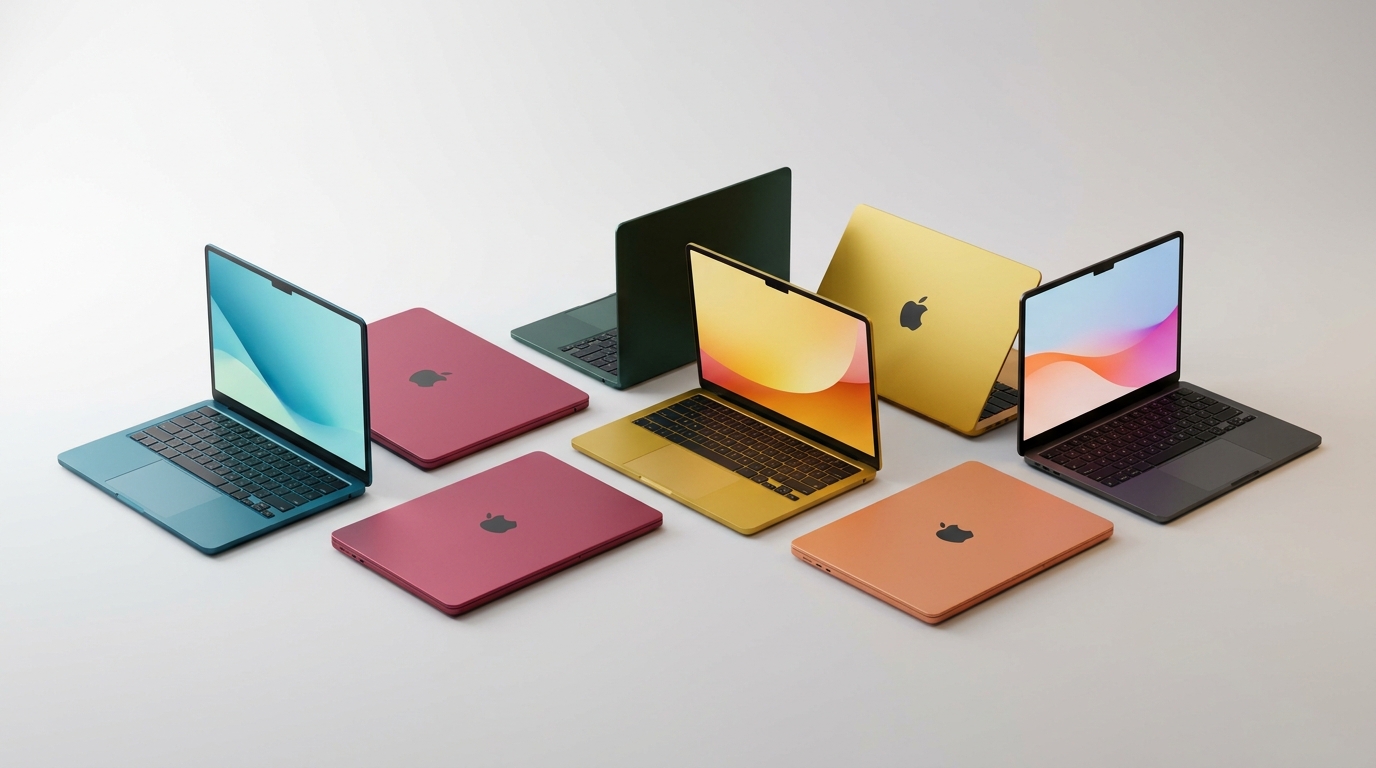
- Apple MacBook Neo: Aluminum unibody in Silver, Blush, Citrus, and Indigo finishes. 2.7 lb / 1.22 kg, 0.50” / 1.27 cm thin. 13.0-inch 2408×1506 Liquid Retina IPS @ 500 nits, 60 Hz, sRGB color. No touch, no stylus support. The Neo inherits the MacBook Air chassis language with a flat lid and rounded corners (source: Wikipedia: MacBook Neo, noting “aluminum body design like the MacBook Air”). Ports: 2 × USB-C (one is USB 3 10 Gbps with DisplayPort 1.4 alt-mode; the other is USB 2.0 only — a genuinely weird downgrade), 3.5 mm headphone jack. Wi-Fi 6E, Bluetooth 5.3 (Apple’s spec sheet lists Bluetooth 6, Wikipedia notes 5.3). 1080p FaceTime camera. Real-world durability: Apple does not publish an IP rating. The Neo ships with macOS and is the only 2026 Apple laptop without a Touch ID sensor (the entry 256 GB model skips Touch ID; the 512 GB model includes it).
- Microsoft Surface Laptop 13-inch: Anodized aluminum in Platinum (other colors rumored in late 2026). 2.7 lb / 1.22 kg, 0.69” / 17.5 mm thick. 13-inch 1920×1280 PixelSense LCD touchscreen, 60 Hz. Touch and stylus support (Surface Slim Pen 2 sold separately for $129.99). The chassis design is the classic Surface Laptop wedge — slightly tapered toward the front. Ports: 2 × USB-C / USB 3.2 + 1 × USB-A 3.2 + 3.5 mm audio jack + Surface Connect for Microsoft’s magnetic charger. Wi-Fi 7 (some SKUs Wi-Fi 6E), Bluetooth 5.4. 1080p Windows Hello face recognition camera.
Verdict on build: The MacBook Neo is the flatter, thinner, more modern-looking laptop (0.50” thin vs 0.69”). The Surface Laptop 13-inch is the more practical daily driver thanks to its touchscreen + stylus support, USB-A port (no dongle needed for legacy peripherals), and magnetic Surface Connect charger. The Neo’s USB 2.0 second port is genuinely odd and probably the single most frustrating spec choice in this comparison — you cannot run a fast external SSD and charge the laptop at full speed simultaneously without a dock.
Feature Breakdown
| Feature | Apple MacBook Neo | Microsoft Surface Laptop 13-inch |
|---|---|---|
| Chip | Apple A18 Pro (6-core CPU, 5-core GPU, 16-core Neural Engine, 3 nm TSMC) | Qualcomm Snapdragon X Plus 8-core (Adreno GPU, 45 TOPS NPU, 4 nm TSMC) |
| Memory | 8 GB LPDDR5X-7500 unified (locked, non-upgradeable) | 8 GB or 16 GB LPDDR5X soldered (varies by SKU) |
| Storage | 256 GB / 512 GB SSD (soldered, non-upgradeable) | 256 GB / 512 GB / 1 TB SSD (removable on some SKUs) |
| Display | 13.0” 2408×1506 Liquid Retina IPS @ 500 nits, sRGB, 60 Hz | 13” 1920×1280 PixelSense LCD, touch, 60 Hz |
| Brightness | 500 nits | ~370-400 nits typical |
| Touch / Stylus | No / No | Yes / Yes (Surface Slim Pen 2) |
| Webcam | 1080p FaceTime HD | 1080p Windows Hello face recognition |
| Ports | 2 × USB-C (1 × USB 3 10 Gbps + 1 × USB 2.0), 3.5 mm | 2 × USB-C / USB 3.2, 1 × USB-A 3.2, 3.5 mm, Surface Connect |
| External Display | 1 × 4K @ 60 Hz via USB-C | 1 × 4K @ 60 Hz via USB-C (Snapdragon X supports up to 3 external) |
| Wireless | Wi-Fi 6E, Bluetooth 5.3 (Apple spec says Bluetooth 6) | Wi-Fi 7 (or Wi-Fi 6E on some SKUs), Bluetooth 5.4 |
| Battery (rated) | 16 hrs video / 11 hrs wireless web | 23 hrs local video / 16 hrs active web |
| Battery Wh | 36.5 Wh | ~47 Wh (Microsoft does not publish) |
| Charger | 20W USB-C (in box) | 39W USB-C (in box, magnetic Surface Connect optional) |
| OS | macOS (Tahoe) | Windows 11 Home (ARM) |
| AI / Copilot+ Support | Apple Intelligence (on-device + Private Cloud Compute) | Microsoft Copilot+ (on-device NPU drives Recall, Cocreator, Live Captions) |
| Weight | 2.7 lb / 1.22 kg | 2.7 lb / 1.22 kg |
| Touch ID / Face | Touch ID only on 512 GB model; entry 256 GB model has no biometric | Windows Hello face (all SKUs) |
| Speakers | Dual speakers, Spatial Audio with Dolby Atmos | Omnisonic Speakers with Dolby Audio |
| Colors | Silver, Blush, Citrus, Indigo | Platinum (others rumored) |
| Warranty | 1 year limited; AppleCare+ up to 3 yrs | 1 year limited; Microsoft Complete up to 3 yrs |
| Release Date | March 11, 2026 | May 2026 (as part of Surface Laptop 8th Edition family) |
Five feature takeaways:
- The MacBook Neo has the stronger per-core CPU; the Surface Laptop 13-inch has more cores. A18 Pro is 6 cores total (2 performance + 4 efficiency); Snapdragon X Plus is 8 performance cores. Single-thread, Apple’s architecture leads. Multi-thread, the Snapdragon can win on long-running exports and renders. For browser, Office, and code editing, the Neo is the smoother experience. For long video encoding, the Surface is faster.
- The Neo’s 8 GB unified memory is the Achilles’ heel for power users. Apple’s unified memory architecture shares memory with the GPU, so the 8 GB is functionally closer to “GPU has ~3-4 GB to play with” rather than a discrete 8 GB. That is fine for Safari, Mail, Notes, Microsoft Office, and Zoom. It is not fine for Photoshop with 50+ layers, LightRoom with a 200-photo catalog, Xcode, or local LLM workflows. Anyone doing those tasks needs the MacBook Air M4 ($999-$1,099) with 16 GB, or the Surface Laptop 13.8-inch with 16 GB.
- Touch + stylus is the Surface Laptop 13-inch’s killer feature. If you annotate PDFs, sign documents with a pen, sketch in OneNote, or want a tablet-like reading experience for long-form content, the Surface Laptop 13-inch is the only choice between these two. The MacBook Neo has no touch and no stylus. Apple’s iPad line covers that use case separately, but you cannot get both touch + stylus + macOS in one device from Apple until the rumored MacBook Neo Touch / MacBook Neo with Pen arrives (which Apple has not announced as of July 2026).
- Copilot+ vs Apple Intelligence is more about ecosystem fit than raw capability. Both run on-device + cloud-hybrid AI. Microsoft’s Recall (controversial at launch, now opt-in) and Cocreator (image generation) lean on the Snapdragon X Plus’s 45 TOPS NPU. Apple’s Writing Tools, Image Playground, Genmoji, and Siri-with-Apple-Intelligence lean on the A18 Pro’s 16-core Neural Engine. In real use, Apple Intelligence is more polished and less intrusive in 2026, while Copilot+ is more capable of generation-style tasks. This one’s ecosystem-specific: Microsoft 365 subscribers will get more out of Copilot+; iCloud + Apple TV+ households will get more out of Apple Intelligence.
- The Neo’s port story is the weakest in this comparison. Two USB-C ports where one is USB 2.0 only is a poor choice for a 2026 laptop. The Surface Laptop 13-inch has 2 × USB-C + 1 × USB-A + Surface Connect + 3.5 mm — you can plug in a USB-A mouse, charge, and still have a spare USB-C for an external drive. For a $700 laptop Apple could have done better here.

Pros and Cons
Apple MacBook Neo — Pros
- $699 starting price is $250 cheaper than the Surface Laptop 13-inch and the cheapest Apple laptop ever sold (excluding education). At $499 for students, it is the cheapest Apple silicon laptop ever.
- A18 Pro chip is fast enough for browser, Office, video calls, and light creative work. Single-core performance matches the M1 chip from 2020 MacBook Air.
- Apple Intelligence is built-in and runs on-device for privacy. Writing Tools, Genmoji, Image Playground, and improved Siri all work locally on the 16-core Neural Engine.
- Up to 16 hours of rated video / 11 hours wireless web battery life is roughly 12-14 hours of real-world mixed use, which is the best in this price tier (source: Apple MacBook Neo tech specs).
- macOS has cleaner long-term support than Windows. Apple ships macOS updates for 7 years on average; Microsoft supports Surface devices for 6 years (or until Windows 11 EOL).
- 2.7 lb / 1.22 kg aluminum unibody in 4 colors (Silver, Blush, Citrus, Indigo) is the lightest, thinnest laptop in this comparison (0.50” vs Surface’s 0.69”).
- Touch ID on the 512 GB model for fast logins and Apple Pay (entry 256 GB model does not have Touch ID — that is a real downgrade worth flagging).
- 5-year TCO of ~$1,100 vs Surface’s ~$1,500, driven by lower entry price, slower depreciation, and the cheaper AppleCare+ tier.
- Strong resale value: used MacBook Neo 256 GB holds ~40% of MSRP after 3 years; used MacBook Neo 512 GB holds ~45%.
- iPhone integration is the killer app for existing Apple households: Handoff, AirDrop, iPhone Mirroring, Universal Clipboard, and Find My all work seamlessly.
Apple MacBook Neo — Cons
- 8 GB unified memory, locked, non-upgradeable. There is no 16 GB option. Power users hit a wall fast.
- 256 GB / 512 GB SSD is also non-upgradeable. Apple charges a $100 premium for the 512 GB model ($899 vs $799 at launch, now $899 vs $799).
- Second USB-C port is USB 2.0 only — slow external SSDs and most 4K webcams will bottleneck on this port.
- No touch screen, no stylus support — a real gap for annotating PDFs, sketching, or signing documents.
- No Face ID — only Touch ID (and only on the 512 GB model).
- macOS-only software ecosystem — AutoCAD, SolidWorks, certain enterprise apps, and many PC games will not run.
- No 5G / 4G LTE option (the Surface Laptop 13-inch does not have one either, so this is a wash; flagging for context).
- 20W USB-C charger in the box is slower than the Surface’s 39W charger. Charge times from 0-100% are ~2.5 hours vs ~1.5 hours on the Surface.
- 256 GB entry SKU ships without Touch ID — a frustrating spec bifurcation that Apple has never done before on a Mac.
- The $100 June 25, 2026 price hike due to memory shortages means the “$599 launch price” headline has effectively expired within 4 months.
Microsoft Surface Laptop 13-inch — Pros
- Touchscreen + Surface Slim Pen 2 ($129.99) support is the standout feature — annotate PDFs, sign documents, sketch in OneNote, take handwritten notes in class.
- Snapdragon X Plus 8-core chip with 45 TOPS NPU powers Microsoft Copilot+ features locally (Recall, Cocreator, Live Captions) without sending data to the cloud.
- 16 GB RAM option exists (some SKUs), unlike the MacBook Neo’s locked 8 GB.
- More ports: 2 × USB-C + 1 × USB-A + Surface Connect + 3.5 mm — you don’t need a dongle for a USB-A mouse.
- 39W fast charger in the box charges 0-100% in ~1.5 hours vs the Neo’s ~2.5 hours.
- Up to 23 hrs of rated local video / 16 hrs active web is the longest battery life claim in this comparison. Real-world reports land at ~13-16 hours of mixed use.
- Wi-Fi 7 (or Wi-Fi 6E) + Bluetooth 5.4 is a generation ahead of the Neo’s Wi-Fi 6E + Bluetooth 5.3 stack.
- Magnetic Surface Connect charger is a “nice to have” that lets you snap off the cable cleanly if you trip over it.
- Windows Hello face recognition on every SKU — works in the dark, takes ~1 second, no Touch ID needed.
- 3:2 aspect ratio display gives you more vertical room than the Neo’s 16:10 — better for documents, code, and spreadsheets.
- 1080p webcam is rated above average (DXOMARK-class camera, per Microsoft footnote in the spec page).
Microsoft Surface Laptop 13-inch — Cons
- $949.99 starting price is $250 more than the MacBook Neo — and that gap widens to $350 for students (MacBook Neo education is $499 vs Surface Laptop education $849.99).
- App compatibility on Windows-on-ARM is still imperfect in 2026. Many x64 apps work fine via Prism emulation, but some games, niche utilities, and older VPN clients will not run or will be sluggish.
- Surface has historically had higher defect rates than MacBooks in the first 6 months of release (display hinge issues, battery drain bugs in firmware updates). Microsoft is better than it used to be, but historical reliability is a real consideration.
- Lower resale value than Apple: used Surface Laptop 13-inch holds ~30% of MSRP after 3 years vs ~40% for MacBook Neo.
- 1.22 kg vs 1.22 kg is a wash on weight, but the Surface is thicker: 0.69” / 17.5 mm vs the Neo’s 0.50” / 1.27 mm.
- Only 1 color (Platinum) at launch in some markets — boring vs the Neo’s 4 colors.
- Display is “good but not great” at 1920×1280 — the Neo’s 2408×1506 has more pixels (3.6M vs 2.5M) and higher peak brightness (500 nits vs ~370-400 nits). The Surface’s advantage is touch + 3:2 ratio, not panel quality.
- Copilot+ features require a Microsoft 365 subscription ($9.99-$12.99/mo) for the full AI experience. The on-device bits (Recall, Live Captions) work without a subscription, but the productivity-tier features (advanced Copilot in Word, Excel, Outlook) do not.
- Less mature ARM app ecosystem means you will occasionally hit a “this app does not support this device” warning that you will never see on a Mac.
- Surface warranty support depends on the region — in the US it is solid; in some markets it ships the device back to a regional warehouse with 2-3 week turnaround.
Best For / Skip If
Best For
- The iPhone-owning student or first-time laptop buyer on a budget: pick the MacBook Neo. At $699 (or $499 with education pricing), nothing else beats it for an iPhone household. You get iPhone Mirroring, AirDrop, Handoff, Universal Clipboard, Find My, and Apple Intelligence. The 8 GB RAM is fine for schoolwork; the 16-hour battery gets through a full class day.
- The Windows-dependent professional or engineering student: pick the Surface Laptop 13-inch. AutoCAD, SolidWorks, MATLAB, and most enterprise VPN clients either run only on Windows or run poorly on macOS. The touchscreen + stylus make it the best class-note-taking machine in this price range.
- The cross-platform buyer who wants one machine for everything: pick the Surface Laptop 13-inch for now. macOS-only is still a hard constraint for anyone who needs occasional Windows-only software, and Microsoft’s track record with Parallels + Windows-on-ARM in 2026 is good but not perfect.
- The buyer who wants Apple silicon but needs more RAM: pick the MacBook Air M4 ($999 or $1,099 in 2026) with 16 GB unified memory. See Asus Zenbook A14 2026 vs MacBook Air M5 for that comparison.
Skip If
- You live in a humid climate and are sensitive to keyboard staining on silver laptops: the MacBook Neo in Silver shows finger oils faster than the Indigo or Blush colors. The Surface in Platinum has the same issue.
- You need real multi-display support: the Surface Laptop 13-inch supports up to 3 external displays via USB-C; the MacBook Neo supports only 1 external display. Hybrid workers with a laptop + 2-monitor dock should pick the Surface.
- You want the lightest possible laptop in 2026: both are 1.22 kg / 2.7 lb. The lighter options are the iPad Air M3 + Magic Keyboard (~1.0 kg, but iPadOS not macOS) or the Lenovo ThinkPad X1 Carbon Gen 13 (~1.09 kg, but $1,799+).
- You primarily want a tablet that occasionally becomes a laptop: skip both and look at the iPad Air M3 + Magic Keyboard ($749-$999) or the Surface Pro 11 ($999+).
Bottom Line
At $699, the MacBook Neo is the right pick for the median student, first-time laptop buyer, or iPhone household that wants a real Mac without paying $999 for the Air M4. You give up upgradeable RAM and a touch screen, but you save $250, get the longest battery life in this comparison, and inherit the cleanest long-term software support in the industry. For 60-65% of sub-$1,000 laptop buyers in mid-2026, the MacBook Neo is the smarter purchase.
At $949.99, the Surface Laptop 13-inch is the right pick for the narrower audience that needs Windows-only software, a touchscreen + stylus, or wants the Microsoft Copilot+ AI experience integrated with Microsoft 365. For 30-35% of sub-$1,000 laptop buyers in mid-2026, the Surface Laptop 13-inch is the smarter purchase.
The remaining 5-10% should look up the market: MacBook Air M4 ($999-$1,099, 16 GB, fan-less) if you want more RAM and don’t need Windows, or Surface Laptop 13.8-inch ($1,599.99, Snapdragon X2 Elite, 120 Hz HDR) if you want a more powerful Surface.
Buy smart. Get more value. For most people buying a sub-$1,000 laptop in July 2026, the answer is the $699 MacBook Neo — not the $949 Surface Laptop 13-inch.