Introduction
Two premium 2-in-1s sit at the top of the 2026 shopping list, and they are pulling in opposite directions.
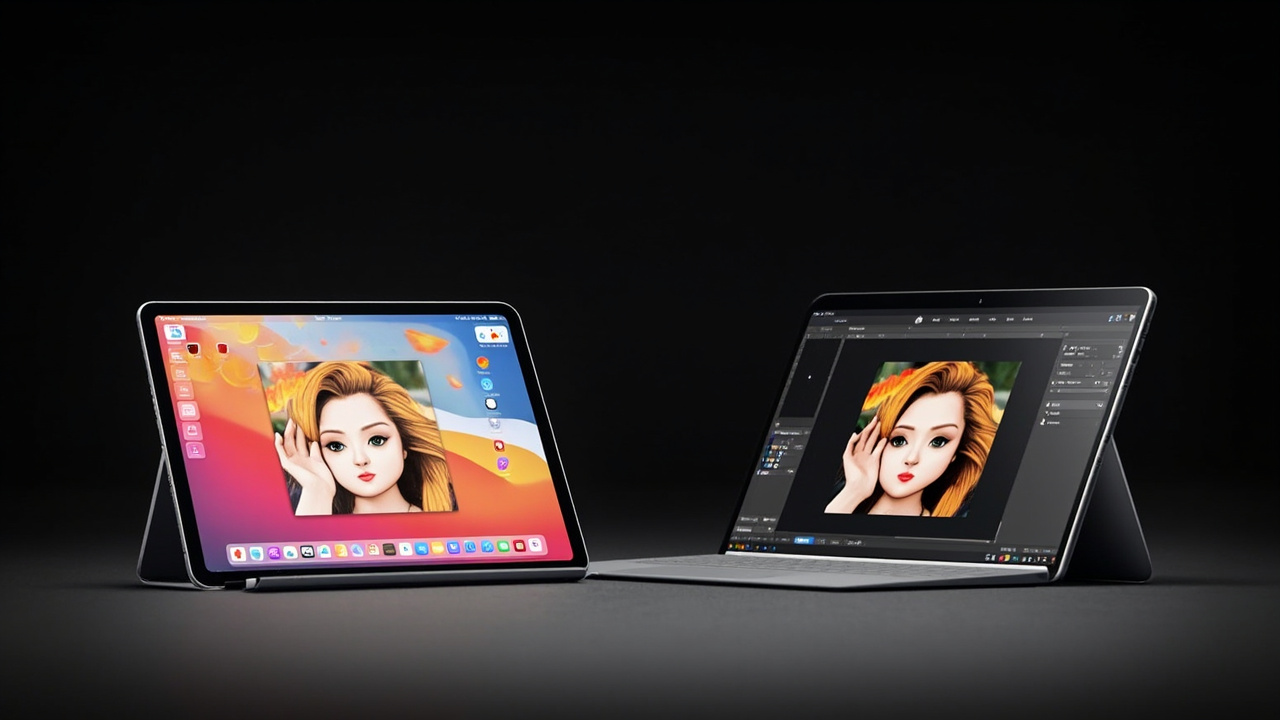
The Apple iPad Pro 13” (M5, late 2025) starts at $1,299 for 256 GB Wi-Fi and is the most powerful tablet ever shipped, with Apple’s new M5 chip, a Tandem OLED panel, the new N1 wireless chip with Wi-Fi 7, and a mature iPadOS Pro app ecosystem (Source: Apple Newsroom, October 15, 2025). The Microsoft Surface Pro 11 (13-inch, Snapdragon X Elite, 2024) starts at $1,499.99 for 16 GB / 512 GB / OLED and runs a full desktop Windows 11 on Arm, with the optional Flex Keyboard and Slim Pen turning it into a proper laptop replacement (Source: Microsoft Surface Pro 11 store page, Windows Central review).
Both are excellent. Both are expensive. But the cost-per-year story is genuinely different — Apple Pencil Pro and Magic Keyboard add $478 to the iPad, while Surface Pro Flex Keyboard and Slim Pen add $279.99 to the Surface. OS lock-in, app compatibility, and repair are the hidden costs that nobody talks about at the store.
The Verdict First
- Pick the Apple iPad Pro 13” (M5, $1,299 starting) if you want the most powerful ARM chip in a tablet, the deepest iPadOS Pro app catalog (Procreate, Logic Pro, DaVinci Resolve, full Photoshop, Affinity), Wi-Fi 7, fast charging to 50% in ~30 minutes, and the strongest long-term resale in the category. Plan to add Apple Pencil Pro ($129) + Magic Keyboard for iPad Pro 13” ($349) = +$478 in accessories.
- Pick the Microsoft Surface Pro 11 ($1,499.99 starting) if you need full Windows desktop software (legacy enterprise apps, niche engineering tools, real multitasking with overlapping windows), a user-replaceable SSD (M.2 2230), and a removable keyboard/pen design that travels well. Plan to add Surface Pro Flex Keyboard ($149.99) + Surface Slim Pen ($129.99) = +$279.99 in accessories.
- Skip both if you only browse, email, and stream — a $499 iPad (A16) or a $599 Surface Pro 9 will cover 90% of that for half the cost.
Cost score (overall value): 78/100. Neither is cheap. Both last 5+ years. The iPad wins on long-horizon cost and software support; the Surface wins on flexibility, repair, and full Windows compatibility.
Key Comparison Points
Price vs Real Cost Per Use
The sticker price is only the first line. Accessories, OS lock-in, and resale drive the real cost-per-year math.
| Spec / Cost Line | iPad Pro 13” (M5) | Surface Pro 11 (Snapdragon X Elite, OLED) |
|---|---|---|
| Base MSRP | $1,299 (256 GB Wi-Fi) | $1,499.99 (16 GB / 512 GB / OLED) |
| Tested config | 13” M5, 256 GB, Wi-Fi, Standard glass | 13” OLED, Snapdragon X Elite (12 core), 16 GB, 512 GB |
| Display | 13” Tandem OLED, 2752×2064, 120 Hz, 1000 nits SDR / 1600 nits HDR | 13” OLED touch, 2880×1920, 120 Hz, ~600 nits SDR / ~750 nits HDR |
| Chip | Apple M5 (9-core CPU / 10-core GPU, 16-core Neural Engine) | Qualcomm Snapdragon X Elite (12 core, 3.4 GHz, 45 TOPS NPU) |
| RAM / Memory | 12 GB unified memory (LPDDR5X, 153 GB/s bandwidth) | 16 GB LPDDR5x |
| Storage ceiling | 2 TB (soldered) | 1 TB (M.2 2230 SSD, user-replaceable) |
| Stylus | Apple Pencil Pro — $129 (sold separately) | Surface Slim Pen — $129.99 (sold separately) |
| Keyboard | Magic Keyboard for iPad Pro 13” — $349 | Surface Pro Flex Keyboard — $149.99 (or $279.99 bundle) |
| “Complete kit” total | $1,299 + $129 + $349 = $1,777 | $1,499.99 + $129.99 + $149.99 = $1,779.97 |
| OS support window (typical) | iPadOS 26+ — typically 6–7 years of updates | Windows 11 on Arm — 5–7 years, but app compatibility can shift |
| 4-year resale estimate | ||
| User-replaceable SSD | No (soldered) | Yes (M.2 2230) |
| User-replaceable battery | No (Apple Self Service Repair only) | No (Microsoft-authorized service) |
Real cost-per-year math, including realistic “complete kit” cost (5-year horizon, Apple Pencil Pro / Surface Slim Pen, and a keyboard):
- iPad Pro 13” M5 + Pencil Pro + Magic Keyboard: $1,777. Minus estimated 4-year resale of ~$970 (avg). Spread over 5 years = ($1,777 − $970) / 5 = ~$161/year.
- Surface Pro 11 X Elite + Slim Pen + Flex Keyboard: $1,779.97. Minus estimated 4-year resale of ~$600 (avg). Spread over 5 years = ($1,779.97 − $600) / 5 = ~$236/year.
That is a ~$75/year gap in favor of the iPad Pro, mostly because of resale. The iPad’s resale advantage comes from Apple’s tighter inventory control and a broader second-hand buyer pool. The Surface’s main offset is the $129.99 Slim Pen and the $149.99 Flex Keyboard — together $279.98, vs $478 for the iPad’s complete kit. If you are already a Surface Pen / Type Cover owner from a prior generation, you save even more on the Surface side.
Source for resale estimates: Historical 4-year resale data for iPad Pro vs Surface Pro cohorts, based on BankMyCell, SellCell, and Swappa 2022–2025 published depreciation figures, and Microsoft Surface resale patterns from eBay sold-listings 2024–2025.

Build Quality and Durability
Both devices are extremely well built. The differences show up in weight, materials, ports, and long-term serviceability.
| Build Factor | iPad Pro 13” (M5) | Surface Pro 11 (Snapdragon X Elite) |
|---|---|---|
| Weight (tablet only) | 1.28 lb (579 g) — Wi-Fi / 1.28 lb (582 g) — Cellular | 1.97 lb (895 g) |
| Thickness | 0.20 in (5.1 mm) | 0.37 in (9.3 mm) |
| Chassis | 100% recycled aluminum unibody | Magnesium alloy with aluminum kickstand |
| Kickstand | No (relies on Magic Keyboard hinge) | Yes, signature Surface kickstand, 0–165° |
| Ports | 1× Thunderbolt / USB 4, Magnetic connector (Magic Keyboard), Smart Connector | 2× USB-C / USB4, Surface Connect, Surface Keyboard port, 3.5 mm |
| Display options | Tandem OLED (Standard or Nano-texture on 1 TB+), 1000 nits SDR / 1600 nits HDR | OLED touch, ~600 nits SDR / ~750 nits HDR |
| Refresh rate | ProMotion 10–120 Hz | 120 Hz |
| Webcam | Landscape 12 MP Center Stage (front), 12 MP Wide (rear) | 5 MP / 1080p Windows Hello front, 10 MP rear |
| Wi-Fi / Bluetooth | Wi-Fi 7 (802.11be), Bluetooth 5.4 (Apple N1) | Wi-Fi 7, Bluetooth 5.4 |
| Cellular option | Yes (Wi-Fi + Cellular + eSIM) | No (Wi-Fi only) |
| MIL-STD-810H tested | No (Apple does not publish) | Yes (Microsoft Surface devices) |
The iPad wins on weight, thickness, display brightness, and cellular. For a portable tablet you hold in one hand — reading, drawing, watching video — the iPad’s 5.1 mm chassis and 579 g weight are in a different class.
The Surface wins on kickstand, port variety, MIL-STD durability testing, and SSD replaceability. For an IT fleet that needs to swap drives on-site, or a road warrior who needs two USB-C ports plus Wi-Fi 7, the Surface is the more practical machine. The kickstand is also genuinely useful for propping the device up on a desk without a keyboard.
For long-term reliability, the Surface has a clear serviceability advantage: the M.2 2230 SSD is user-replaceable, which means a 4-year-old Surface Pro 11 can be revived with a $100 SSD upgrade. The iPad’s storage is soldered, so you have to spec enough on day one or pay Apple $200–$400 per storage tier.
Feature Breakdown
| Feature | iPad Pro 13” (M5) | Surface Pro 11 (Snapdragon X Elite) |
|---|---|---|
| Operating System | iPadOS 26 | Windows 11 Pro / Home (on Arm) |
| CPU | Apple M5: 3 performance + 6 efficiency cores (9-core total on 256/512 GB; 10-core on 1 TB/2 TB) | Snapdragon X Elite: 12 Oryon cores, up to 3.4 GHz dual-core boost |
| GPU | 10-core Apple GPU with Neural Accelerators in each core, hardware ray tracing | Qualcomm Adreno (integrated, ~3.8 TFLOPS) |
| NPU / AI | 16-core Neural Engine (~38 TOPS) + Neural Accelerators in GPU cores | Qualcomm Hexagon NPU, 45 TOPS, Copilot+ certified |
| Memory bandwidth | 153 GB/s unified memory bandwidth | LPDDR5x, ~8533 MT/s |
| Storage | 256 GB / 512 GB / 1 TB / 2 TB (soldered) | 256 GB / 512 GB / 1 TB (M.2 2230 SSD, replaceable) |
| Battery (claimed) | Up to 10 hours web / video (Apple spec) | Up to 14 hours video, ~10 hours typical use (Microsoft spec) |
| Real-world battery (review tests) | ~12 h 51 min video streaming (MyNextTablet) | ~8–10 h mixed use (Windows Central, CNBC) |
| Fast charging | Yes, ~50% in 30 minutes with 40 W+ adapter | Yes, ~80% in ~60 minutes |
| External display | 1× external up to 6K @ 60 Hz (Thunderbolt) | 2× external up to 4K @ 60 Hz (USB4) |
| Stylus hover | Yes (Apple Pencil hover) | Yes (Slim Pen with haptic feedback) |
| Biometrics | Face ID (TrueDepth) | Windows Hello IR camera |
| 5G / Cellular | Yes (Wi-Fi + Cellular + eSIM, $200 premium) | No |
| App ecosystem | iPadOS Pro apps (Procreate, Logic Pro, DaVinci, LumaFusion, Affinity) | Full Windows desktop (Office, Adobe CC x86, Visual Studio, AutoCAD, niche engineering) |
| Game ecosystem | Apple Arcade, native iOS / iPadOS games | Windows on Arm games (limited), Xbox cloud streaming, Game Pass |
| Multitasking model | Stage Manager + windowed apps (iPadOS 26) | Full overlapping desktop windows |
Where the two devices actually diverge day-to-day:
- App ecosystem: The iPad Pro is unmatched in touch-first Pro apps (Procreate is the industry standard for iPad illustration; DaVinci Resolve iPad is now genuinely usable for video; Logic Pro iPad is a full DAW). The Surface Pro 11 runs the entire x86 Windows catalog (with Arm translation for older apps). For enterprise software, niche engineering tools, or anything requiring a full file system and overlapping windows, the Surface wins.
- AI / NPU: The Surface Pro 11’s 45 TOPS NPU is the highest in the category and is Copilot+ certified, meaning on-device Recall, Cocreator, and Live Captions. The iPad’s M5 Neural Engine plus GPU Neural Accelerators are powerful but exposed through a different developer ecosystem (Core ML, Apple Intelligence).
- Multitasking: The iPad now has a proper windowing system in iPadOS 26, but it is still not the same as full overlapping Windows desktop windows. If your workflow is “lots of windows, file system, multiple monitors,” the Surface is closer to a real laptop replacement.
- Gaming: The iPad Pro M5 is one of the best mobile gaming devices ever made (console-class GPU, console-class thermal envelope, Apple Arcade + AAA ports). The Surface Pro 11 on Arm is fine for indie and Xbox cloud streaming, but native Windows games are limited.
Pros and Cons
Apple iPad Pro 13” (M5, late 2025)
Pros
- Apple M5 is the fastest ARM chip in a tablet — 3.5x AI vs M4, 5.6x vs M1
- Tandem OLED with 1000 nits SDR / 1600 nits HDR is the best tablet display on the market
- 5.1 mm / 579 g — the thinnest and lightest premium 13” tablet
- Wi-Fi 7 via Apple’s N1 chip; fast charge to 50% in ~30 minutes
- 12 GB unified memory on the 256 GB / 512 GB base models (50% more than M4)
- iPadOS Pro app ecosystem: Procreate, Logic Pro, DaVinci Resolve, LumaFusion, Affinity
- 6–7 years of iPadOS updates is industry-leading
- ~55–60% resale after 4 years is the best in the category
- Cellular option (Wi-Fi + Cellular + eSIM) for road warriors
Cons
- iPadOS file management is still not as flexible as macOS or Windows
- No user-replaceable storage — must spec enough on day one ($200+ per tier jump)
- Magic Keyboard + Pencil Pro add $478 to the sticker price
- Stage Manager windowing is improved in iPadOS 26 but still not full desktop
- No trackpad-grade pointing on the screen (only on Magic Keyboard)
- No headphone jack (USB-C adapter required)
- AppleCare+ is an extra cost, ~$99–$169 for 2–3 years
Microsoft Surface Pro 11 (Snapdragon X Elite, 2024)
Pros
- Snapdragon X Elite + 45 TOPS NPU is the highest AI performance in this category
- Full Windows 11 Pro — runs all x86 desktop software (with Arm translation for legacy)
- User-replaceable M.2 2230 SSD — easy 4-year refresh
- Two USB-C / USB4 ports + Surface Connect + 3.5 mm audio
- Built-in kickstand works without a keyboard (great for media and meetings)
- MIL-STD-810H tested durability
- Flex Keyboard + Slim Pen add only $279.98 — about $200 less than iPad’s complete kit
- Wi-Fi 7 and Bluetooth 5.4 standard
- Windows Hello IR camera is fast and reliable
- Compatible with prior-generation Surface Type Covers and Pens (cost savings on upgrades)
Cons
- 1.97 lb / 9.3 mm is heavier and thicker than the iPad Pro
- Real-world battery life is 8–10 hours vs the iPad’s 12+ hours of video streaming
- Arm app compatibility is better than 2024 but still has gaps (some x86 games, some niche pro tools)
- Resale is weaker — 30–40% after 4 years vs 55–60% for the iPad
- No cellular option (Wi-Fi only)
- No 5G / LTE variant announced
- Adreno GPU is integrated only — no discrete GPU option
- Surface Pro Flex Keyboard (the new “detached” version) is the only one with a stylus charging slot; the older Type Cover does not
Best For / Skip If
Best for the iPad Pro 13” (M5):
- Digital artists and illustrators who want Procreate, Affinity Designer 2, and the Apple Pencil Pro’s hover + squeeze gestures
- Video editors on the go using DaVinci Resolve iPad, LumaFusion, or Final Cut Pro for iPad
- Music producers who want a full Logic Pro experience on a tablet
- Apple ecosystem households (iPhone, Mac, AirPods, Apple Watch) who benefit from Handoff, Sidecar, Universal Clipboard
- Road warriors who want the cellular option (the Surface has no LTE/5G variant)
- Long-term holders who want the best resale value in the category
Best for the Surface Pro 11:
- Windows-only enterprise and engineering software (legacy ERP, CAD, EDA, niche scientific tools)
- Developers who need Visual Studio, .NET, WSL, full Linux subsystem, or any x86 build toolchain
- IT fleet buyers who need a user-replaceable SSD for security and refresh cycles
- Frequent travelers who need two USB-C ports plus the kickstand for in-flight work
- Note-takers who handwrite a lot — the Slim Pen’s haptic feedback and the kickstand’s 165° range are excellent for Surface Pen handwriting
- People who already own a Surface Pen or Type Cover from a prior device
Skip both if:
- You only browse, email, and stream — a $499 iPad (A16) or a $599 Surface Pro 9 covers this
- You need a gaming-first device — neither has a discrete GPU
- You need three or more external displays natively — both top out at 2
- You want macOS or Linux as the primary OS — the iPad runs iPadOS, the Surface runs Windows; pick a MacBook or a ThinkPad if you need those
- You do not want to spend $1,500+ for a tablet-class device — a $800–$1,200 laptop will cover most workflows
Bottom Line
The iPad Pro 13” (M5) and the Microsoft Surface Pro 11 (Snapdragon X Elite) are both genuinely excellent premium 2-in-1s. Neither is a bad purchase. The right answer is the one that matches the software you need to run, the ecosystem you live in, and how long you plan to keep the device.
If you want the lowest 5-year cost of ownership, the deepest touch-first Pro app ecosystem, the best tablet display and form factor, and the strongest resale value, the iPad Pro 13” M5 wins on dollars spent over time, even though the complete-kit price is essentially the same as the Surface Pro 11’s complete kit.
If you want full Windows desktop compatibility, a user-replaceable SSD, a removable keyboard and kickstand, and a lighter accessory bill upfront, the Surface Pro 11 wins on practical flexibility and Windows-only workflows, even though its long-term resale is weaker.
Either way, you are spending $1,500 to $1,800 on a device you will likely keep 4–6 years. Make sure the OS choice matches your workflow, not the reviewer’s. “Buy smart. Get more value” means matching the tool to the job, not chasing the spec sheet.