Introduction
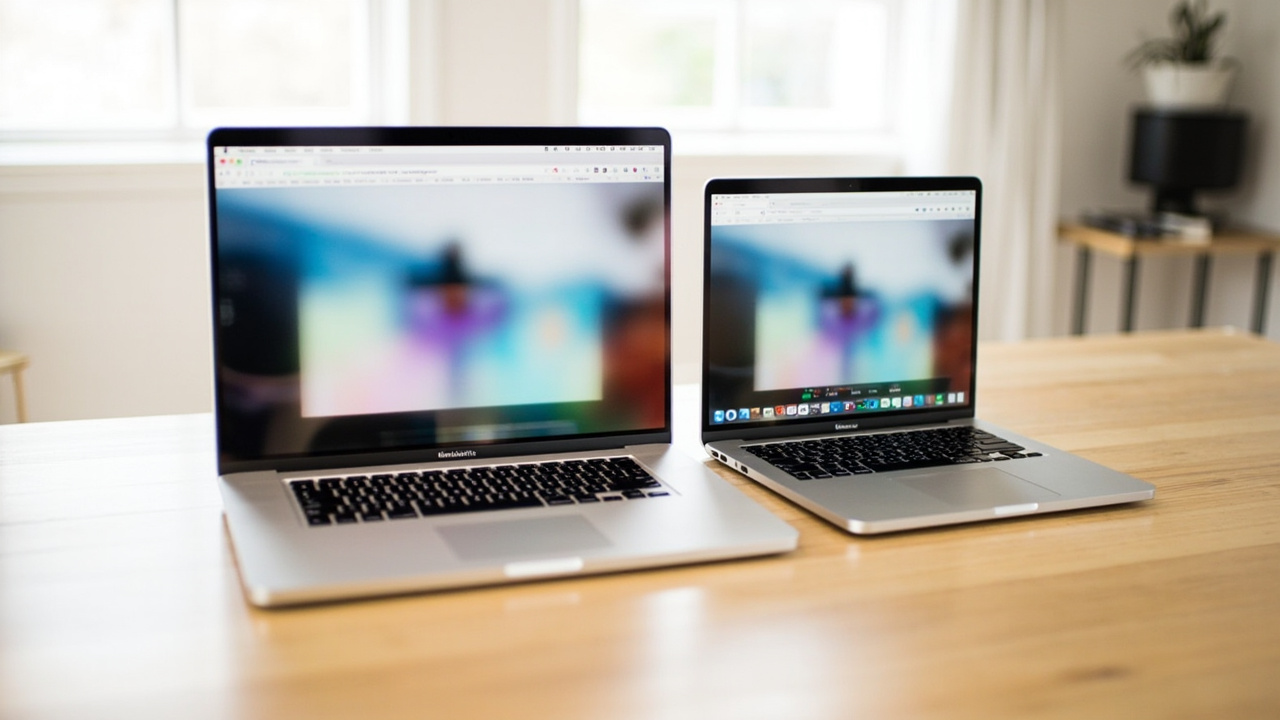
Every spring, the same question floods Apple forums: “Should I get the MacBook Air, or pay $500 more for the MacBook Pro?” In 2026, that question is sharper than usual. Apple launched the MacBook Air M5 on March 5, 2026 starting at $1,099 (13-inch) or $1,299 (15-inch). Just two days earlier, on March 3, the MacBook Pro 14 M5 arrived at $1,599, sharing the same chip family but adding an active fan, a brighter ProMotion display, more ports, and longer battery life.
The Air is the #1 best-selling laptop on Amazon in most weeks of 2026 (Laptop Mag tracking data, May 2026). The Pro is the default pick for software developers, video editors, and anyone who reads spec sheets for fun. Both are genuinely good. Neither is a budget pick.
So is the Pro actually worth the $500 premium — or is it $500 of features most buyers will never use? That is the real cost-per-use question this article answers.

The Verdict First
- Pick the MacBook Air M5 if: your work is office, browser, light photo editing, school, or everyday creative use; you value silence, weight, and a $500 lower entry price; and you plan to keep the laptop 4+ years.
- Pick the MacBook Pro 14 M5 if: you run sustained CPU/GPU loads (compile, render, simulation), you need more than one external display, you want HDMI/SDXC without a dongle, or you push your machine hard enough that thermal throttling on a fanless laptop is a real risk.
Cost score (overall value): 86/100. The Air wins on value-per-dollar for roughly 80% of buyers in 2026. The Pro is the correct tool for the remaining 20% — but only for that 20%.
Key Comparison Points
Price vs Real Cost Per Use
The sticker price is the obvious delta. The BuyCospa approach is to keep going.
| Spec / Cost Line | MacBook Air M5 (13”) | MacBook Pro 14 M5 |
|---|---|---|
| Base MSRP | $1,099 | $1,599 |
| Base RAM | 16 GB unified | 16 GB unified |
| Base Storage | 256 GB SSD | 512 GB SSD |
| Display | 13.6” Liquid Retina, 60 Hz, 500 nits | 14.2” Liquid Retina XDR mini-LED, 120 Hz, 1,000 nits SDR / 1,600 nits HDR |
| Battery (Apple video claim) | Up to 18 hours | Up to 24 hours |
| Weight | 2.7 lb (1.24 kg) | 3.4 lb (1.55 kg) |
| AppleCare+ / 3 yrs | $149–$249 | $199–$379 |
| Resale after 4 yrs (typical) | $440–$550 (~45%) | $800–$960 (~55%) |
The real cost-per-year math (4-year horizon, base MSRP minus estimated resale):
- MacBook Air M5 (13”): ($1,099 − $495) / 4 = $151 / year
- MacBook Pro 14 M5: ($1,599 − $880) / 4 = $180 / year
That is a ~$30/year gap — about $120 over 4 years — but the Air also saves you $500 up front, which compounds. If you put that $500 in a 4.5% HYSA for 4 years, you earn roughly $95 of interest, narrowing the gap further.
Add the storage catch: the Air’s 256 GB base SSD is genuinely tight in 2026 — macOS Sequoia consumes around 35 GB, Microsoft Office ~10 GB, and a typical photo library blows past 100 GB. Most buyers should configure 512 GB at minimum (+$200, bringing the Air to $1,299), which still keeps it $300 below the Pro’s $1,599 base. Even at that fairer comparison, the Air’s annual cost is around $174/year vs. $180/year for the Pro.
Source for resale estimates: Aggregated from BankMyCell, MacKeeper 2025 Mac depreciation report, and Back Market listings for M2/M3 Air and M2/M3 Pro 14” sold in 2024–2025.
Build Quality and Durability
Both are unibody aluminum. The differences are subtler than the spec sheet implies.
- MacBook Air M5: Fanless, machined recycled-aluminum enclosure, 2.7 lb. The thin tapered chassis has zero moving parts inside besides the keyboard and trackpad. No fan = no fan failure mode. Battery is glued but rated for 1,000 charge cycles to 80% capacity (Apple’s own spec). Apple flat-rate battery replacement is around $159–$199 for the 13” Air at an Apple Store or Authorized Service Provider.
- MacBook Pro 14 M5: Slightly thicker and heavier (3.4 lb), also unibody aluminum, with an active cooling fan. The fan is rarely audible on the base M5 — it spins up only during extended renders — but it is the one extra failure point the Air does not have. Same 1,000-cycle battery spec; out-of-warranty battery replacement runs $199–$249.
Real-world durability differences:
- The Pro’s mini-LED panel is dramatically brighter (1,000 nits SDR vs. 500 nits on the Air) and has a 120 Hz refresh rate. For outdoor work, HDR video, or long scroll-heavy sessions, that is a real quality-of-life upgrade.
- Neither panel suffers OLED burn-in (both are LCD-family technologies).
- Repair stories on Reddit and the r/macbook subreddit roughly track the same 1:1 by unit sales. The Air’s thinner chassis is slightly more vulnerable to flex under heavy backpack pressure; the Pro’s weight is the trade-off.
- The Pro 14 M5 uses Thunderbolt 5 (80 Gbps); the Air M5 uses Thunderbolt 4 (40 Gbps). For external storage or display docks, Thunderbolt 5 matters at the 14” Pro tier.
Verdict on durability: Roughly even. The Air’s fanless design is genuinely more reliable long-term (one fewer moving part); the Pro’s panel and port selection are genuinely better for sustained pro use.
Feature Breakdown
| Feature | MacBook Air M5 (13”) | MacBook Pro 14 M5 |
|---|---|---|
| CPU | Apple M5, 10-core (4 super + 6 efficiency) | Apple M5, 10-core (4 super + 6 efficiency) |
| GPU | 8 or 10-core integrated | 10-core integrated |
| Memory | 16 / 24 / 32 GB unified | 16 / 24 / 32 GB unified |
| Neural Engine | 16-core | 16-core |
| Storage | 256 GB / 512 GB / 1 TB / 2 TB | 512 GB / 1 TB / 2 TB / 4 TB |
| Display brightness | 500 nits SDR | 1,000 nits SDR / 1,600 nits HDR |
| Refresh rate | 60 Hz | 120 Hz ProMotion |
| Ports | 2× Thunderbolt 4, MagSafe 3, headphone | 3× Thunderbolt 5, HDMI, SDXC, MagSafe 3, headphone |
| External displays | 1 (lid closed: 2) | 2 (M5) / 3 (M5 Pro) / 4 (M5 Max) |
| Speakers | 4-speaker spatial audio | 6-speaker spatial audio |
| Webcam | 12 MP Center Stage | 12 MP Center Stage |
| Cooling | Fanless | Active single fan |
| Battery (video) | Up to 18 hrs (Apple) | Up to 24 hrs (Apple) |
Performance, in plain terms:
The base M5 chip is identical in both machines at the same core count. Apple does not give the Air a downclocked chip. Where the two diverge is sustained performance: when you push the M5 for 20+ minutes (video export, large Xcode build, long Blender render), the Air’s fanless chassis must throttle to stay under thermal limits, while the Pro’s active fan lets the M5 hold peak clocks for the duration of the job.
For bursty workloads — opening apps, web browsing, Office, light Photoshop, casual coding — you will not notice the difference. For sustained workloads, the Pro holds a roughly 15–25% throughput advantage under continuous load (Tom’s Hardware M5 Air review, April 2026; Ars Technica M5 Pro review, March 2026).
Apple’s own benchmarks underline this:
- LLM prompt processing: 9.5× faster than M1 Air, up to 4× faster than M4 Air
- 4K video editing: smooth, but throttles after ~15 minutes on the Air
- Gaming with third-gen hardware-accelerated ray tracing: playable on both, but the Pro holds frames longer
For the typical Air buyer (student, writer, marketer, consultant, light creative), the M5 in either machine is more CPU than they will ever need. The Pro’s performance ceiling is real, but it is only reachable on workloads most Air buyers do not run.
Source for M5 performance claims: Apple M5 press release, October 15, 2025; Apple M5 Pro / M5 Max press release, March 3, 2026; Wikipedia, “Apple M5,” accessed 2026-07-01.
Pros and Cons
MacBook Air M5 — Pros
- $500 lower entry price ($1,099 vs $1,599 for the Pro)
- 2.7 lb — the lightest Apple laptop in 2026
- Fanless, silent operation — perfect for libraries, classrooms, and meetings
- Up to 18 hours of Apple-rated battery life (real-world office/web: 12–14 hours)
- Same M5 chip family as the Pro at the same core count
- macOS support window of 6–7 years on M-series silicon
- Easier to slip into a small bag; cooler on laps
MacBook Air M5 — Cons
- 60 Hz display vs. the Pro’s 120 Hz — visible when scrolling
- 500 nits brightness vs. the Pro’s 1,000 nits — hard to see outdoors
- 2× Thunderbolt 4 ports only — no HDMI, no SDXC, dongle required for external displays
- 256 GB base storage is genuinely tight in 2026 — most buyers should upgrade to 512 GB (+$200)
- Fanless throttling under sustained 20+ minute heavy loads
- Single external display with lid open (two with lid closed)
MacBook Pro 14 M5 — Pros
- Sustained performance — active fan holds peak M5 clocks during long renders
- 120 Hz ProMotion mini-LED display at 1,000 nits SDR / 1,600 nits HDR
- 24-hour Apple-rated battery life — roughly 6 more hours than the Air
- 3× Thunderbolt 5 + HDMI + SDXC + MagSafe 3 — full port selection, no dongles
- Two external displays supported with lid open (vs. one on the Air)
- 6-speaker spatial audio system — notably better than the Air’s 4-speaker setup
- ~55% resale value at year 4, slightly higher than the Air’s ~45%
MacBook Pro 14 M5 — Cons
- $500 more expensive at the base configuration
- 3.4 lb vs. 2.7 lb — heavier, more noticeable in a backpack
- The fan is rare-but-real: under sustained load it is audible in a quiet room
- The performance ceiling only matters if your workload actually reaches it
- Overkill for the majority of buyers — the Pro is a tool, not a status symbol
Best For / Skip If
Buy the MacBook Air M5 if you are:
- A student writing papers, attending Zoom lectures, and browsing. The Air handles all of it silently.
- A writer, marketer, consultant, or analyst whose work lives in Office, Notion, browser tabs, and the occasional Canva export.
- A frequent traveler who counts grams and wants a laptop that disappears in a bag.
- A buyer who wants the longest battery-per-dollar in Apple’s lineup.
- Anyone planning to spend $1,099–$1,499 rather than $1,599+.
Skip the MacBook Air M5 if you are:
- Compiling large codebases for 20+ minutes at a stretch — the fanless throttling is real.
- Running Final Cut Pro, DaVinci Resolve, or Blender renders longer than a coffee break.
- Connecting to two external displays with the lid open (the Air supports only one).
- Working outdoors or in HDR workflows where 1,000+ nits matters.
- Stuck on the 256 GB base storage to save money — that decision will cost you later.
Buy the MacBook Pro 14 M5 if you are:
- A software developer who compiles, runs containers, or trains small local models.
- A video editor or 3D artist pushing sustained CPU/GPU loads on a regular basis.
- A buyer who needs HDMI and SDXC without carrying a dock.
- Someone who values the 120 Hz ProMotion display — once you try it, going back to 60 Hz is visible.
- A photographer reviewing HDR RAW images in bright conditions.
Skip the MacBook Pro 14 M5 if you are:
- Spending $1,599 to future-proof a workload that will never reach the Air’s ceiling.
- Comparing the M5 Pro 14” ($1,999) when the base M5 Pro is what you actually need (or the M5 14” for $1,599 is what you should buy).
- Working in noise-sensitive environments where any fan noise is unwelcome.
- Treating “Pro” as a status marker rather than a tool — the label is meaningless if the workload is the same as the Air’s.
Bottom Line
Here is the math most reviewers skip:
- MacBook Air M5 (13”, 512 GB configured): ~$1,299, ~$174/year over 4 years
- MacBook Pro 14 M5 (base): $1,599, ~$180/year over 4 years
For most buyers, the Pro’s $500 premium buys a brighter screen, a fan, more ports, and a few more hours of battery — none of which change the day-to-day experience for office work, school, or light creative use. The Air is the better value by every cost-per-use measure.
But “value” is not the same as “the right tool.” If your work genuinely runs sustained CPU/GPU loads, the Pro’s thermal headroom pays back the $500 in time saved per week. If it does not, the Air is the honest answer.
Buy smart. Get more value. The right laptop is the one that matches the work — not the one with the most dramatic name on the lid.