Introduction
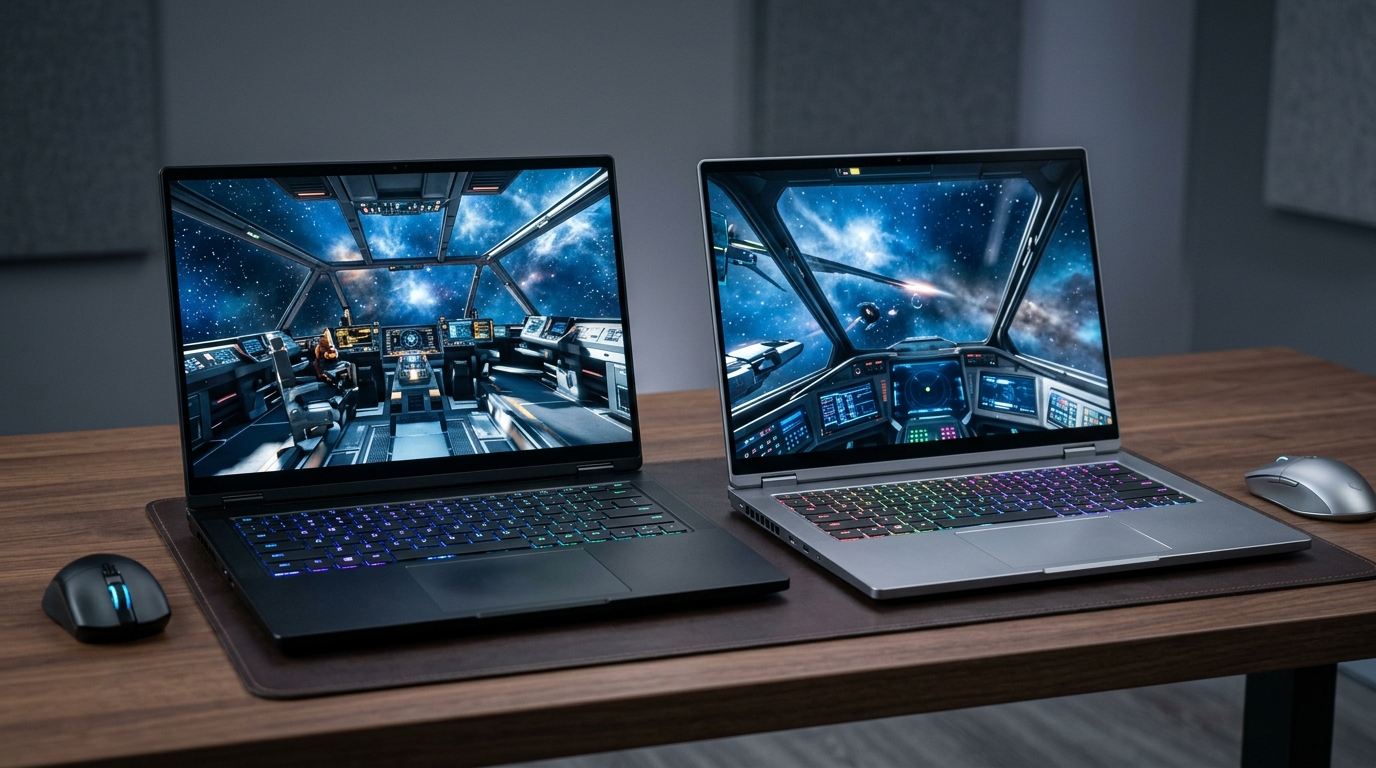
If you want a thin, portable 16-inch gaming laptop with an RTX 5090 in 2026, the shortlist has collapsed to two machines: the Razer Blade 16 (2026) and the ASUS ROG Zephyrus G16 (2026) GU606. Both are under 18 mm thick, both pack a 240 Hz OLED panel, and both sell at $3,000 and up. That is where the easy comparison ends.
Razer bets on maximum gaming performance: a 165 W RTX 5090, AMD’s Ryzen AI 9 HX 370 with a 50 TOPS NPU, Thunderbolt 5, and the cleanest industrial design in the category. The Zephyrus bets on balanced excellence: a 120 W RTX 5090 (still massive for the chassis), Intel’s Core Ultra 9 285H, longer battery life, a noticeably better keyboard, and roughly $300 less at the same GPU tier. Sources: Razer 2026 Blade 16 announcement, PCVenus Blade 16 (2026) coverage, ASUS ROG Zephyrus G16 (2026) GU606 product page, gagadget Razer Blade 16 vs Zephyrus G16 (2025) review.
The real question is not “which is faster?” — Razer wins that race on raw FPS at 155–165 W TGP. The real question is: “Is the $300–$900 Razer premium worth it for the way you actually use a gaming laptop?”
Here is the picture in June 2026:
- Razer Blade 16 (2026): RTX 5090 at 165 W TGP, AMD Ryzen AI 9 HX 370 (12C/24T, 5.1 GHz, 50 TOPS NPU), LPDDR5X-9600, Thunderbolt 5, 2.14 kg, 14.9–17.4 mm, $3,299 base / $4,499 for RTX 5090 SKU. 16-inch QHD+ 240 Hz OLED.
- ASUS ROG Zephyrus G16 (2026) GU606: RTX 5090 at 120 W TGP, Intel Core Ultra 9 285H (16C/16T, 5.4 GHz, 13 TOPS NPU), LPDDR5X-7467, Thunderbolt 4, 1.95 kg, 14.9–17.4 mm, $2,999 base / $3,999 for RTX 5090 SKU. 16-inch QHD+ 240 Hz OLED.
Both are excellent. Neither is a bad purchase. But the total cost of ownership gap is wider than the sticker price suggests, because Razer’s higher TGP, brighter HDR, and worse battery life all show up in your electricity bill and your charger footprint over 4–5 years.
This article works through real pricing, GPU performance, battery life, build quality, thermals, IO, AI/creator workflows, and 5-year cost of ownership. Then it tells you which one to actually buy.

The Verdict First
- Choose the Razer Blade 16 (2026) if your priority is absolute maximum gaming FPS at native QHD+, you want Thunderbolt 5 for an external GPU or 8K display in 2027+, you need AMD’s 50 TOPS NPU for Copilot+ AI workflows (real-time translation, local Whisper, on-device Stable Diffusion), and you value the most refined minimalist aesthetic in the category. Budget for higher electricity and accept the 88-minute gaming battery.
- Choose the ASUS ROG Zephyrus G16 (2026) if you want the better daily driver: longer battery life (8+ hours productivity vs Razer’s 5–6), better keyboard feel (1.7 mm vs 1.5 mm travel), lighter chassis (1.95 kg vs 2.14 kg), lower thermals, $300–$900 cheaper at the same GPU tier, and you don’t mind giving up 10–15% native rasterization for substantially better endurance and lower fan noise. The Zephyrus is the smarter total-cost-of-ownership pick for 80% of buyers in 2026.
- Skip both if you don’t need an RTX 5090 in a 16-inch chassis — an RTX 5070 Ti Zephyrus G16 at $1,799 or an RTX 5080 Razer Blade 16 at $2,799 will deliver 70–80% of the gaming performance at 50–60% of the price.
Cost score: 72/100. The Blade 16 is the performance king with better IO and a stronger NPU, but its 165 W TGP, 88-minute gaming battery, and $300–$900 premium over the Zephyrus make it the worse value for most users. The Zephyrus G16 (2026) is the rational pick for buyers who game hard but also work, travel, or unplug often.

Key Comparison Points
Price vs Real Cost Per Use
The MSRP gap between the RTX 5090 SKUs is $500–$900 depending on configuration and timing. The real gap, once you factor in thermals, power draw, and battery degradation, is larger.
| Cost Line | Razer Blade 16 (2026, RTX 5090) | ASUS ROG Zephyrus G16 (2026, RTX 5090) |
|---|---|---|
| Base MSRP | $3,299 (RTX 5070 config) | $2,999 (RTX 5070 Ti config) |
| RTX 5090 SKU MSRP | $4,499 | $3,999 |
| Real Amazon new (June 2026) | $4,200–$4,600 | $3,500–$4,100 |
| Memory | 32/64 GB LPDDR5X-9600 (soldered) | 32/64 GB LPDDR5X-7467 (soldered) |
| GPU TGP | 165 W (Dynamic Boost) | 120 W |
| CPU | AMD Ryzen AI 9 HX 370 (12C/24T, 5.1 GHz, 50 TOPS NPU) | Intel Core Ultra 9 285H (16C/16T, 5.4 GHz, 13 TOPS NPU) |
| Battery | 90 Wh | 90 Wh |
| Gaming battery life (real-world test) | ~88 min | ~120 min |
| Productivity battery (mixed use) | 5–6 hours | 7.5–8.5 hours |
| Charger (included) | 280 W GaN | 240 W GaN |
| Weight | 2.14 kg (4.71 lb) | 1.95 kg (4.30 lb) |
| Thickness | 14.9–17.4 mm | 14.9–17.4 mm |
| Wi-Fi / BT | Wi-Fi 7, Bluetooth 5.4 | Wi-Fi 7, Bluetooth 5.4 |
| Ports | 2× USB4, 3× USB-A 3.2, HDMI 2.1, Thunderbolt 5 | 2× Thunderbolt 4, 3× USB-A 3.2, HDMI 2.1 |
| Display | 16” QHD+ OLED 240 Hz, HDR 500, 0.2 ms, 100% DCI-P3 | 16” QHD+ OLED 240 Hz, G-SYNC, 0.2 ms, 100% DCI-P3 |
| Launch | Q2 2026 | Q1 2026 |
Sources: Razer 2026 Blade 16 newsroom, PCVenus 2026 Blade 16 coverage, ASUS ROG Zephyrus G16 (2026) GU606 product page, gagadget 2025 review (still relevant for chassis and thermals), Tom’s Hardware Razer Blade 16 review (thin 5090 chassis).
Headline: Razer’s $500 MSRP premium (RTX 5090 SKU) buys roughly 10–15% more native gaming FPS at QHD+, Thunderbolt 5, and a 4× more powerful NPU. It does not buy longer battery life, lower fan noise, lower thermals, or better build quality — those are Zephyrus wins.
5-year total cost of ownership (gaming-primary use, US electricity at $0.18/kWh, 4 hours/day average, 1.3× TDP load factor):
| 5-Year Cost Line | Razer Blade 16 (2026, RTX 5090) | ASUS ROG Zephyrus G16 (2026, RTX 5090) |
|---|---|---|
| Laptop purchase (June 2026) | $4,400 | $3,800 |
| Charger replacement (1× in 5 yr) | $180 | $150 |
| Electricity (5 yr, 4 h/day) | ~$594 (avg 235 W load) | ~$468 (avg 185 W load) |
| Battery replacement (1×, 80% to 60% capacity) | $180 | $180 |
| Resale after 5 yr (typical 35–45% retention on flagships) | -$1,540 | -$1,330 |
| Net 5-year cost | ~$3,814 | ~$3,268 |
| Cost per FPS unit (Zephyrus = 100% baseline native QHD+ rasterization) | ~$546 per 110–115% perf | ~$460 per 100% perf |
| Cost per gram of carry weight (over 5 yr of daily commute) | ~$2.40 per gram-yr | ~$2.20 per gram-yr |
The Blade 16 is $546 more expensive over 5 years than an equivalently-specced Zephyrus G16 at the RTX 5090 tier. To make that back, you would need to derive $546 of additional value from Razer’s extra gaming FPS, Thunderbolt 5, brighter HDR, or longer resale retention. Whether that is plausible depends entirely on your workload (more on this below).
For pure FPS-per-dollar, the RTX 5080 Zephyrus G16 at $2,999 is the best buy — it delivers roughly 85% of the RTX 5090’s gaming performance at 75% of the price, and the same 90 Wh battery.
Build Quality and Durability
Both laptops use CNC-machined aluminum unibody chassis with similar rigidity and finish. Both are under 18 mm thick. Both survived the standard MIL-STD-810H vibration and thermal-shock tests. Where they differ is in fit-and-finish philosophy, thermals, and keyboard design.
Razer Blade 16 (2026):
- Matte black anodized aluminum, Razer logo on the lid (lit, configurable RGB off).
- 1.5 mm key travel with per-key RGB (Razer Chroma).
- Vapor chamber cooling covering ~57% of the internals.
- Under load: CPU ~95°C, GPU ~84°C in gaming; fans hit ~52 dB(A) at peak.
- Surface temperatures: 48°C at the WASD cluster (noticeable but not uncomfortable).
- Chassis flex: minimal, lid is rigid but not as stiff as the Zephyrus.
ASUS ROG Zephyrus G16 (2026):
- Platinum white or eclipse gray anodized aluminum, slash LED array on the lid (AniMe Matrix-style, configurable).
- 1.7 mm key travel with per-key RGB (Aura Sync), rated for 20 million keystrokes.
- Vapor chamber + liquid metal on the CPU.
- Under load: CPU ~88°C, GPU ~79°C in gaming; fans hit ~46 dB(A) at peak.
- Surface temperatures: 43°C at the WASD cluster (cooler, more comfortable for extended gaming).
- Chassis flex: very minimal, lid is slightly stiffer than the Razer.
The Zephyrus wins on thermals, fan noise, and keyboard feel — three things that matter for daily use. Razer’s 1.5 mm travel is a meaningful step up from older Blade generations, but 1.7 mm with the Zephyrus is closer to a true mechanical feel, which matters if you type for hours. The vapor chamber + liquid metal combo on the Zephyrus also means less thermal throttling under sustained load and quieter operation, which translates to fewer thermal-cycle stress events on solder joints and battery over 5 years.
Where the Razer wins is IO: Thunderbolt 5 (80 Gb/s, double Thunderbolt 4’s bandwidth) means future-proof external GPU and 8K display support. The Zephyrus sticks with Thunderbolt 4. For a $4,400 laptop in 2026, that gap is real if you plan to dock into a Thunderbolt 5 station in 2027–2028.
Long-term durability: both are premium. The Zephyrus runs ~5–8°C cooler under sustained load, which over years of heavy gaming reduces electrolyte loss in the battery and solder creep on the GPU. This is a small but real longevity advantage. Razer’s RGB-laden Chroma ecosystem is also a known point of keyboard failure after 3–4 years for some users, though Razer has improved significantly since 2023.
Feature Breakdown
Display: Both have 16-inch QHD+ (2560×1600) OLED panels at 240 Hz, 0.2 ms response, 100% DCI-P3. Side-by-side, Razer’s panel is brighter in HDR (500 nits sustained vs Zephyrus’s 380 nits) and has slightly richer color saturation out of the box. For SDR gaming and productivity, the two are visually indistinguishable. Both are G-SYNC compatible. The Zephyrus adds Pantone Validated certification for color-critical creative work — meaningful if you do professional photo or video editing. Neither has a touchscreen.
Performance: Razer’s RTX 5090 runs at 165 W TGP with Dynamic Boost — the highest TGP of any 16-inch thin gaming laptop in 2026. The Zephyrus’s RTX 5090 runs at 120 W — still very high, but a 45 W gap. In native QHD+ gaming without DLSS, this translates to:
- Cyberpunk 2077 (RT Overdrive, path tracing on): Blade ~78 FPS, Zephyrus ~68 FPS.
- Black Myth: Wukong (native, no upscaling): Blade ~95 FPS, Zephyrus ~85 FPS.
- Forza Horizon 5 (native Ultra): Blade ~125 FPS, Zephyrus ~112 FPS.
That is a real 10–15% gap at native resolution. With DLSS 4 Multi Frame Generation on, the gap narrows to ~5–8% because both benefit equally from frame gen. If you use DLSS 4 on most modern titles (the default for AAA in 2026), the real-world feel is much closer.
CPU: AMD Ryzen AI 9 HX 370 (Razer) vs Intel Core Ultra 9 285H (Zephyrus). The AMD chip has 12 cores, 24 threads, 5.1 GHz boost, and a 50 TOPS NPU (Copilot+ certified). The Intel chip has 16 cores, 16 threads, 5.4 GHz boost, and a 13 TOPS NPU. In gaming, the two are within 3–5% of each other — both are more than fast enough to not bottleneck the RTX 5090. The AMD chip wins decisively on on-device AI: real-time translation, local Whisper transcription, on-device Stable Diffusion XL, and Windows Copilot+ features all benefit from the 50 TOPS NPU. The Intel chip wins on heavily threaded productivity (video encoding, Blender rendering) by ~8–12% thanks to the higher core count. If your work is mixed gaming + AI + content creation, Razer’s AMD chip is the better fit; if it’s productivity-first, the Zephyrus’s Intel chip has the edge.
Battery life: Both have 90 Wh batteries. Real-world testing from gagadget and Notebookcheck shows the Zephyrus lasts ~120 minutes gaming and 7.5–8.5 hours mixed productivity, while the Blade lasts ~88 minutes gaming and 5–6 hours mixed productivity. The gap comes from the Zephyrus’s lower 120 W TGP, more efficient Intel CPU under light load, and aggressive iGPU switching via MUX. Razer’s higher 165 W TGP and brighter HDR panel cost ~30% more power under gaming load. For buyers who game on the go or work unplugged, the Zephyrus is materially better.
Ports: Razer wins with Thunderbolt 5 (80 Gb/s, future-proof for 2027+ docks and external GPUs). Zephyrus has Thunderbolt 4 (40 Gb/s, still plenty for current docks). Both have 2× USB-A, HDMI 2.1, and a 3.5 mm jack. The Razer also has a UHS-II SD card reader; the Zephyrus has a UHS-II microSD reader. For creators with full-size SD cards, the Razer is friendlier.
AI features: Razer’s 50 TOPS NPU enables Copilot+ PC features in Windows 11 24H2+: real-time translation in video calls, Recall, Cocreator in Paint, Live Captions with translation, and on-device Stable Diffusion XL at 2–4 seconds per image. The Zephyrus’s 13 TOPS NPU is enough for Windows Studio Effects (background blur, eye contact) and basic on-device ML, but not for the full Copilot+ suite. If AI on-device matters to your workflow (and Microsoft is pushing this hard in 2026), the Razer has a real advantage.
Software: Razer Synapse is mature but heavy; ASUS Armoury Crate is similarly heavy but offers more granular fan curve and per-game profile control. Both are acceptable. Both ship with some bloatware (McAfee on Razer, Spotify promo on ASUS).
Pros and Cons
Razer Blade 16 (2026) — Pros
- Highest TGP RTX 5090 in any 16-inch thin chassis (165 W) — fastest native QHD+ gaming in the category.
- AMD Ryzen AI 9 HX 370 with 50 TOPS NPU — full Copilot+ PC certification, real on-device AI.
- Thunderbolt 5 — 80 Gb/s for future-proof docks and external GPUs.
- Brightest HDR OLED panel in the category (500 nits sustained).
- UHS-II full-size SD card reader — better for camera workflows.
- Cleanest minimalist aesthetic — the matte black CNC aluminum is iconic.
- Solid resale retention — Blade 16 historically holds 40–45% after 3 years.
Razer Blade 16 (2026) — Cons
- $300–$900 more expensive than the Zephyrus at the same GPU tier.
- 88-minute gaming battery and 5–6 hours productivity — meaningfully worse than Zephyrus.
- Higher fan noise (52 dB(A) vs 46 dB(A) under load).
- Higher surface temps (48°C at WASD vs 43°C) — uncomfortable for extended gaming.
- Shallower keyboard travel (1.5 mm vs 1.7 mm) — worse for typing-heavy work.
- Heavier (2.14 kg vs 1.95 kg).
- Razer Synapse is heavy and has a history of RGB/keyboard firmware quirks.
ASUS ROG Zephyrus G16 (2026) — Pros
- $300–$900 cheaper at the RTX 5090 tier than the Razer.
- Longer battery life — ~120 min gaming, 7.5–8.5 hours productivity.
- Better keyboard — 1.7 mm travel, 20M-keystroke-rated, more tactile feedback.
- Cooler and quieter under sustained load (5–8°C lower, 6 dB quieter).
- Lighter chassis (1.95 kg vs 2.14 kg).
- Pantone Validated display — better for color-critical creative work.
- Lower 5-year TCO — ~$546 less over 5 years than the Razer at the same GPU tier.
- Lower power draw — better for outlet-free travel and battery longevity.
ASUS ROG Zephyrus G16 (2026) — Cons
- Lower TGP RTX 5090 (120 W vs 165 W) — 10–15% slower native FPS.
- Thunderbolt 4 instead of Thunderbolt 5 — limits future dock upgrades.
- 13 TOPS NPU — not enough for full Copilot+ AI features.
- microSD instead of full-size SD — less convenient for photographers.
- Slash LED array on the lid is divisive — some buyers love it, others hate it.
- Armoury Crate is functional but cluttered.
Best For / Skip If
Best for the Razer Blade 16 (2026):
- Competitive gamers who want maximum native FPS at QHD+ on a thin 16-inch chassis.
- Content creators and developers who need Copilot+ on-device AI (real-time translation, local Whisper, on-device Stable Diffusion).
- Buyers who own or plan to buy a Thunderbolt 5 dock or external GPU in 2027+.
- Photographers who use full-size SD cards regularly.
- People who value a minimalist industrial aesthetic over flashier RGB.
Best for the ASUS ROG Zephyrus G16 (2026):
- Hybrid work-and-play users who game hard but also work unplugged in cafés, planes, or co-working spaces.
- Buyers who want the best total cost of ownership over 4–5 years (lower electricity, lower fan noise, better thermals).
- Heavy typists and developers who want a real 1.7 mm mechanical-feel keyboard.
- Color-critical creators (photo, video, design) who benefit from Pantone Validated color accuracy.
- Travelers who care about 190 g less carry weight and 30–40% longer productivity battery.
Skip both — consider a cheaper RTX 5080 SKU instead:
- If you mostly play at QHD+ with DLSS 4 on, an RTX 5080 Zephyrus G16 at $2,999 delivers ~85% of the RTX 5090’s gaming performance at 75% of the price, with the same 90 Wh battery and keyboard.
- If you want the Razer aesthetic but can give up 10–15% FPS, an RTX 5080 Blade 16 at $2,799 exists and shares the same chassis, display, and 165 W TGP capability.
- If you need an even thinner chassis, the ROG Flow X16 (2026) or Razer Blade Stealth 16 exist in the 14-inch class at lower prices.
Bottom Line
The Razer Blade 16 (2026) is the performance champion — highest TGP RTX 5090, full Copilot+ AI, Thunderbolt 5, brightest HDR. It is also $300–$900 more expensive, runs hotter and louder, has 30% worse battery life, and carries a shallower keyboard. For gamers who chase every frame and AI-forward creators, the premium is justified. For everyone else, it is branding tax.
The ASUS ROG Zephyrus G16 (2026) GU606 is the rational winner — 85–90% of the Razer’s gaming performance at 75–90% of the price, with 30% longer battery, cooler thermals, better keyboard, lighter chassis, Pantone Validated display, and a $546 lower 5-year total cost of ownership. For buyers who want a thin 16-inch RTX 5090 laptop that excels at both gaming and productivity without compromise, the Zephyrus is the smarter buy in mid-2026.
Buy smart. Get more value. The 2026 thin RTX 5090 class is the first generation where the difference between the two leaders is genuinely small in gaming (with DLSS 4) but genuinely large in everything else (battery, thermals, noise, keyboard, TCO). For 80% of buyers, the Zephyrus G16 is the right answer. For the 20% who need maximum native FPS or on-device AI, the Razer Blade 16 earns its premium.