Introduction
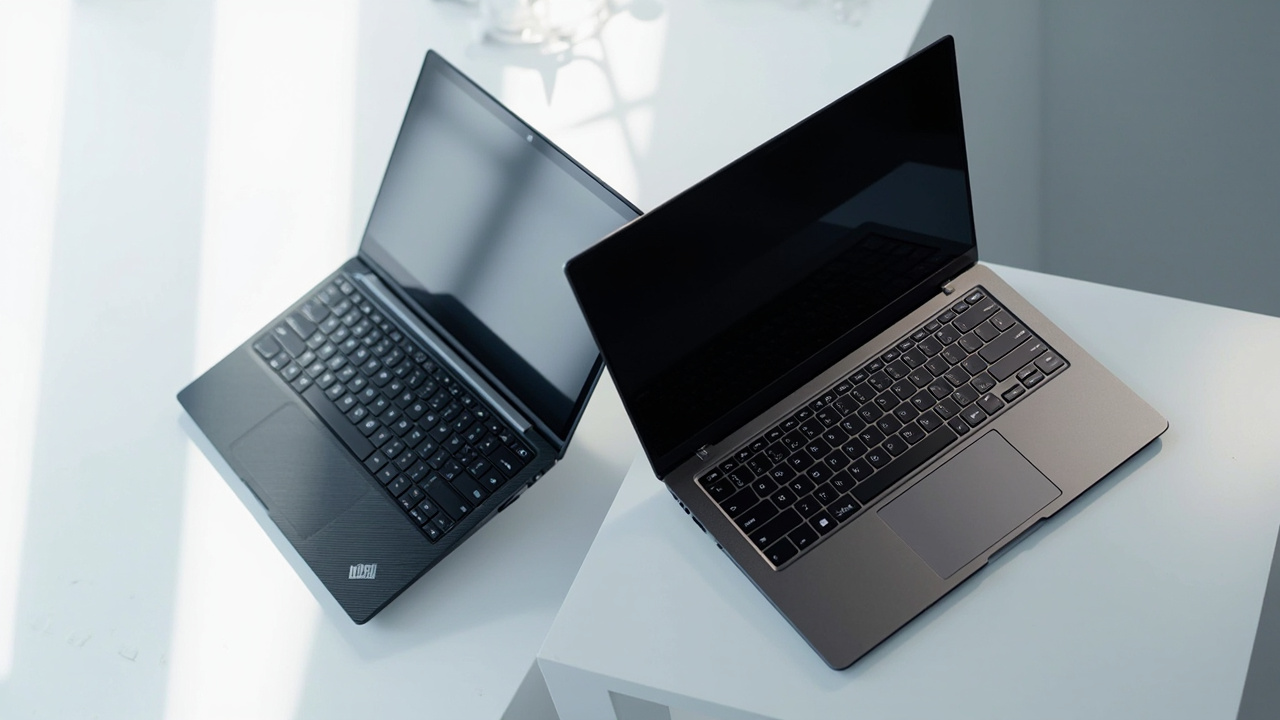
If you are shopping for a flagship 14-inch laptop in 2026, two names dominate the shortlist almost every time: Lenovo ThinkPad X1 Carbon Gen 13 on the Windows side and Apple MacBook Pro 14 (M5 Pro) on the macOS side. They are not the cheapest options in their categories — both start in the $1,799 to $1,999 range and climb fast — but they are the ones IT managers, founders, engineers, and creative pros keep coming back to.
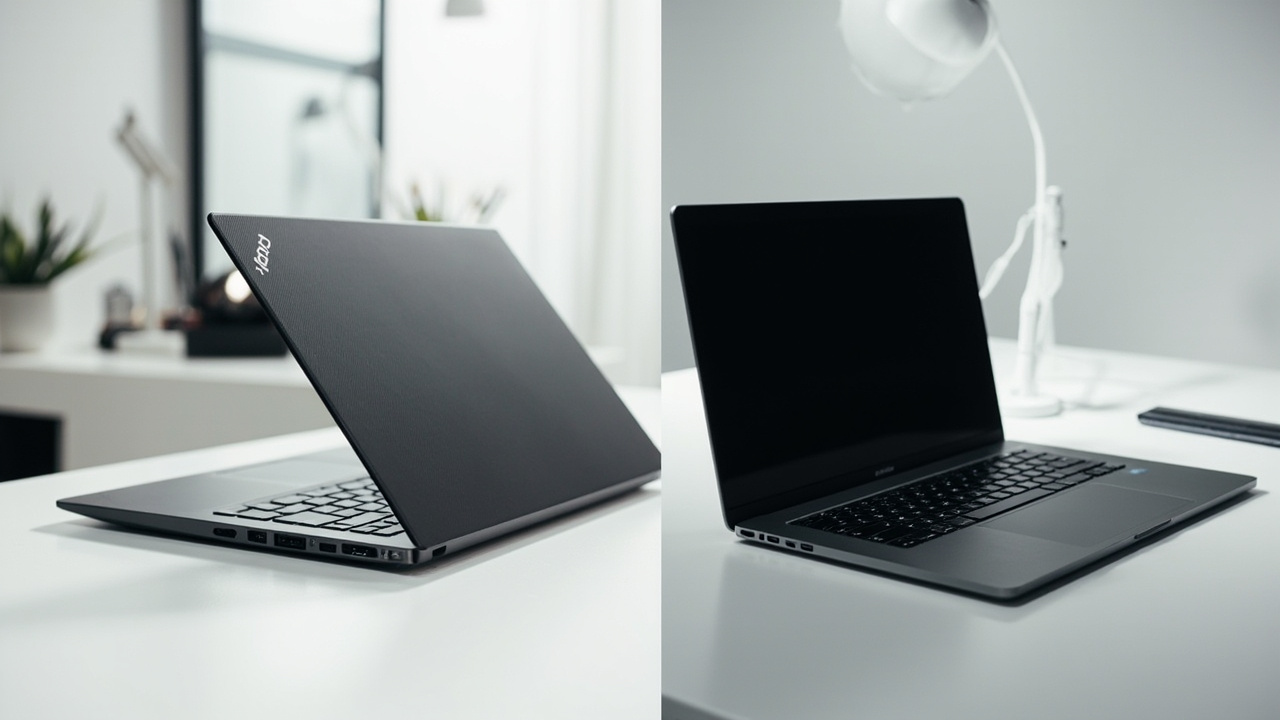
The X1 Carbon Gen 13 is the 13th generation of Lenovo’s business flagship, weighing roughly 2.42 lb (1.09 kg) with the Intel Core Ultra Series 2 (Lunar Lake) chip, a 14-inch OLED option, and the iconic ThinkPad keyboard and trackpoint. The MacBook Pro 14 with M5 Pro launched in March 2026 on Apple’s third-generation 3 nm process, with up to an 18-core CPU, 20-core GPU, and Apple’s longest-ever claimed Mac battery life of up to 24 hours (Source: Apple M5 Wikipedia, Apple MacBook Pro product page).
The two laptops look very different on the spec sheet but solve the same problem: a portable, durable, no-compromise primary computer for work. The interesting question is not which one is faster in a benchmark — it is which one delivers a lower total cost of ownership over a realistic 4-6 year lifespan, once you factor in battery cycles, repair costs, resale value, and ecosystem lock-in.
The Verdict First
- Choose the Lenovo ThinkPad X1 Carbon Gen 13 (~$1,799 starting) if you need x86/Windows compatibility, the best-in-class ThinkPad keyboard + TrackPoint, more ports (2× Thunderbolt 4 + 2× USB-A + HDMI 2.1), and easier in-house or on-site repair (SSD is user-replaceable on most Gen 13 SKUs). The trade-off is shorter real-world battery life (typically 8-11 hours versus Apple’s 14-20 hours) and lower resale value (Source: ThinkPad X1 series Wikipedia).
- Choose the Apple MacBook Pro 14 (M5 Pro, $1,999 starting) if you want the longest battery life in a premium 14-inch laptop, the highest sustained performance per watt, the strongest resale value (typically 50-60% of MSRP after 4 years vs 25-35% for premium Windows), and you live inside Apple’s ecosystem (iPhone, iPad, AirPods, Final Cut / Logic). The trade-off is soldered SSD and RAM (no user upgrades) and fewer ports.
- Skip both if you do not actually need a flagship. A $700-900 mid-range laptop covers 80% of what most people do. The remaining 20% is where the price difference earns its keep.
Cost score (overall value): 80/100. Both are very good. Neither is a budget pick. The MacBook wins the 5-year cost-of-ownership race; the ThinkPad wins on flexibility, repair, and Windows compatibility.
Key Comparison Points
Price vs Real Cost Per Use
The sticker price is the easy part. The total cost over 4-6 years is where the math actually diverges.
| Cost Factor | ThinkPad X1 Carbon Gen 13 (2025) | MacBook Pro 14 (M5 Pro, 2026) |
|---|---|---|
| Base MSRP (2026 retail) | ~$1,799 (Core Ultra 7 258V, 16 GB, 512 GB) | $1,999 (M5 Pro, 12C CPU, 24 GB, 512 GB) |
| Typical “Well-Configured” Price | $2,200-$2,500 (32 GB, 1 TB, OLED) | $2,600-$3,200 (18C CPU, 48 GB, 1 TB) |
| Real-World Battery Life | 8-11 hours (mixed office use, OLED option pulls more) | 14-20 hours (Apple’s claim: up to 24 h) |
| Battery Cycles to 80% Capacity | ~1,000 cycles (typical Lenovo rating) | ~1,000 cycles (Apple’s standard rating) |
| User-Replaceable SSD | Yes (M.2 2280 on most SKUs) | No (soldered) |
| User-Replaceable RAM | No (LPDDR5X soldered on Lunar Lake) | No (unified memory on package) |
| Out-of-Warranty Battery Replacement | ~$120-$180 (Lenovo service) | ~$199-$249 (Apple Self Service Repair / store) |
| 4-Year Resale Value (typical) | 25-35% of MSRP | 50-60% of MSRP |
| Accidental Damage Coverage | Optional Lenovo Premier Support, ~$80-$180/year | AppleCare+ ~$99-$269/2-3 years |
Plugging the typical “well-configured” $2,400 ThinkPad against a $2,800 MacBook Pro 14 M5 Pro into a 5-year ownership window:
| 5-Year Cost Line | ThinkPad X1 Carbon Gen 13 | MacBook Pro 14 M5 Pro |
|---|---|---|
| Purchase | $2,400 | $2,800 |
| AppleCare+ / Premier Support (5 yr) | ~$400 (Premier) | ~$500 (AppleCare+) |
| 1 battery replacement (year 4) | $150 | $220 |
| Resale value (year 5) | -$720 (30% of $2,400) | -$1,540 (55% of $2,800) |
| Net 5-year cost | ~$2,230 | ~$1,980 |
The MacBook Pro 14 ends up roughly $250 cheaper over 5 years at the typical configuration, almost entirely because of its higher resale value. The headline “Apple is more expensive” narrative collapses once you account for what you actually get back at the end.
The biggest hidden cost on both machines is battery wear. Both vendors rate their packs at roughly 1,000 cycles to 80% capacity. If you keep either laptop plugged in most of the time, that does not matter. If you cycle it daily and keep it 5+ years, plan on a battery replacement around year 4.
The other hidden cost is time spent troubleshooting. macOS updates are tightly controlled and historically cause fewer mid-cycle driver issues. Windows 11 on Lunar Lake hardware has been solid since late 2024 but still has more variability, especially with Wi-Fi, fingerprint readers, and sleep states.
Build Quality and Durability
| Build Factor | ThinkPad X1 Carbon Gen 13 | MacBook Pro 14 (M5 Pro) |
|---|---|---|
| Weight | 2.42 lb (1.09 kg) — lightest 14” business ultrabook in its class | 3.4-3.5 lb (1.55-1.60 kg) depending on config |
| Thickness | ~14.96 mm (0.59”) | ~15.5 mm (0.61”) |
| Chassis Material | Magnesium-aluminum hybrid (carbon-fiber reinforced top) | 100% recycled aluminum unibody |
| MIL-STD-810H Tested | Yes (12 procedures) | No (Apple does not publish MIL-STD claims) |
| Display Options | 14” IPS 1920×1200, 14” 2.8K OLED 120 Hz, 14” 2.8K OLED touch | 14.2” Liquid Retina XDR mini-LED, 3024×1964, 120 Hz ProMotion |
| Display Brightness (sustained SDR / peak HDR) | 400-500 nits SDR (OLED HDR up to ~600-700 nits claimed) | 1,000 nits SDR / 1,600 nits HDR |
| Keyboard | 1.5 mm key travel, spill-resistant, classic ThinkPad layout | Magic Keyboard, 1 mm key travel, Touch ID |
| TrackPoint + Button-Less Trackpad | Yes (signature ThinkPad) | No |
| Webcam | 1080p + IR (Windows Hello) | 12 MP Center Stage + FaceTime camera, True Tone |
| Speakers | Dolby Atmos quad-speaker | Six-speaker, Spatial Audio, Dolby Atmos |
| Ports | 2× Thunderbolt 4, 2× USB-A 3.2, HDMI 2.1, 3.5 mm | 3× Thunderbolt 5, HDMI 2.1, SDXC, MagSafe 3, 3.5 mm |
| Wi-Fi / Bluetooth | Wi-Fi 7, Bluetooth 5.4 | Wi-Fi 6E (Wi-Fi 7 on M5 Pro/Max), Bluetooth 5.3 |
The ThinkPad wins on weight, port variety, keyboard travel, MIL-STD durability testing, and SSD replaceability. For an IT fleet that needs to be repaired quickly on-site, or a frequent traveler who needs HDMI/USB-A without a dongle, those are real dollars saved over the laptop’s life.
The MacBook Pro wins on display brightness, speaker quality, webcam, and chassis rigidity feel (the unibody aluminum is hard to beat in the hand). The 1,000-nit sustained SDR brightness is genuinely class-leading for outdoor or bright-office work; the ThinkPad’s 400-500 nits is fine indoors but struggles in direct sunlight.
For long-term reliability, the ThinkPad has a clear advantage on serviceability: you can swap the SSD, and Lenovo’s on-site warranty options (Premier Support) are well-regarded in the enterprise market. The MacBook’s soldered storage means a logic board replacement if the SSD fails — a multi-hundred-dollar repair that is rare but not unheard of on machines that are 4+ years old.
Feature Breakdown
| Feature | ThinkPad X1 Carbon Gen 13 | MacBook Pro 14 (M5 Pro) |
|---|---|---|
| Operating System | Windows 11 Pro / Linux | macOS Tahoe (or later) |
| CPU | Intel Core Ultra 7 258V (8C/8T, Lunar Lake) or Core Ultra 5 226V | Apple M5 Pro 12-core (6 super + 6 performance) or 15-core (5 super + 10 performance), 18-core option on M5 Max |
| Process Node | TSMC N3B (Intel 18A in next gen) | TSMC N3P (3 nm, third-gen) |
| GPU | Intel Arc 140V (integrated) or Arc 140V + NPU (47 TOPS) | Apple 16- or 20-core GPU; 3rd-gen ray tracing; Dynamic Caching |
| Neural / AI Engine | Intel NPU 4 (47 TOPS), Windows Copilot+ certified | 16-core Neural Engine (Apple does not publish TOPS, but third-party benchmarks put it in the 30-40 TOPS range) |
| Memory | 16 GB, 32 GB, or 64 GB LPDDR5X-8533 (soldered) | 24 GB, 48 GB, 64 GB unified memory (on-package LPDDR5X 9600 MT/s) |
| Storage | 512 GB / 1 TB / 2 TB M.2 2280 PCIe 4.0 SSD (user-replaceable on most SKUs) | 512 GB / 1 TB / 2 TB / 4 TB / 8 TB (soldered) |
| Battery Capacity | 57 Wh typical | 72.4 Wh |
| Charging | USB-C 65 W, Rapid Charge | USB-C 96 W (140 W with M5 Max), MagSafe 3, 50% in 30 min |
| External Display Support | 2× 4K@60 (Thunderbolt 4) or 1× 8K | Up to 3 with M5 Pro, up to 4 with M5 Max |
| Biometrics | Fingerprint reader + IR camera (Windows Hello) | Touch ID + FaceTime camera (no Face ID on Mac) |
| Enterprise Features | Intel vPro (select SKUs), TPM 2.0, optional smart card reader, Nano-SIM on 5G SKU | Apple silicon Secure Enclave, FileVault 2, Managed Apple IDs |
Where the two machines actually diverge day-to-day:
- x86 vs ARM: The ThinkPad runs any x86 Windows application, including legacy enterprise software, niche engineering tools, and many games. The MacBook runs Apple silicon-native code and translates x86 via Rosetta 2. For most productivity software (Office 365, Slack, Chrome, Zoom) this is a non-issue in 2026; for niche CAD, EDA, or simulation tools it can still matter.
- AI / NPU: The ThinkPad’s Intel NPU 4 (47 TOPS) is Copilot+ certified, meaning on-device Windows Studio Effects, Recall (where enabled), and Cocreator in Paint. The MacBook’s Neural Engine is broadly comparable but is exposed to a different developer ecosystem (Core ML, Apple Intelligence).
- External displays: The M5 Pro MacBook Pro supports up to 3 external displays natively — a real upgrade over the M3 generation’s 2-display cap. The ThinkPad’s 2× Thunderbolt 4 is the standard Windows baseline.
Pros and Cons
ThinkPad X1 Carbon Gen 13 (2025)
Pros
- Lightest 14” business ultrabook in its class (1.09 kg)
- Best-in-class keyboard with 1.5 mm travel + TrackPoint
- 2× USB-A + 2× Thunderbolt 4 + HDMI 2.1 — no dongles needed
- MIL-STD-810H tested (12 procedures)
- User-replaceable M.2 SSD on most SKUs
- vPro and 5G options for enterprise IT fleets
- Lower base MSRP (~$1,799)
Cons
- Real-world battery life is 8-11 hours vs 14-20 on the MacBook
- 400-500 nit SDR brightness is below the MacBook’s 1,000 nits
- Higher TDP under sustained load — fans are audible
- 25-35% resale after 4 years is roughly half the MacBook’s
- Lunar Lake’s 8-core/8-thread CPU loses multi-threaded benchmarks to M5 Pro
MacBook Pro 14 (M5 Pro, 2026)
Pros
- Up to 24 hours of claimed battery life (14-20 hours real-world mixed use)
- M5 Pro delivers class-leading performance per watt; silent on light loads
- 1,000 nit sustained / 1,600 nit peak HDR display
- 50-60% resale value after 4 years — best in the laptop industry
- Six-speaker system is in a different league for video calls and media
- Up to 3 external displays natively (M5 Pro)
- Tight integration with iPhone, iPad, AirPods, Apple Watch
Cons
- $1,999 starting price (and most buyers will spend $2,400+)
- 1.55-1.60 kg is heavier than the ThinkPad by 0.5 kg
- Soldered SSD and RAM — no user upgrades, no post-purchase expansion
- macOS lock-in: certain Windows-only enterprise software will not run natively
- Repair out of warranty is expensive (logic-board-level for storage failures)
- No Face ID (Touch ID only)
Best For / Skip If
Best for the ThinkPad X1 Carbon Gen 13:
- IT and enterprise buyers who need vPro, TPM, optional 5G, and Premier Support for fleet management
- Travelers who hate dongles and need HDMI + USB-A on the chassis
- Tinkerers and self-repairers who want a replaceable SSD
- People who type 8+ hours a day and care about 1.5 mm key travel
- Anyone running x86-only Windows software (legacy ERP, niche engineering tools, certain games)
Best for the MacBook Pro 14 (M5 Pro):
- Creative pros (video, photo, music) who live in Final Cut, Logic, or Adobe on macOS
- Knowledge workers who travel across time zones and need all-day battery
- Apple-ecosystem households (iPhone, iPad, AirPods, Apple Watch) who benefit from Continuity
- Long-term holders who want the best resale value in the industry
- People who run local LLMs and on-device AI — the M5 Pro’s unified memory (24-64 GB) and Neural Engine handle quantized 7B-13B models comfortably
Skip both if:
- You only browse, email, and stream — a $700-900 mid-range laptop covers this
- You need a gaming-first machine — neither has a discrete GPU
- You need 4+ external displays natively — only the M5 Max supports 4
Bottom Line
Both the Lenovo ThinkPad X1 Carbon Gen 13 and the Apple MacBook Pro 14 (M5 Pro) are genuinely excellent flagship laptops. Neither is a bad purchase. The right answer is the one that matches your software, your ecosystem, and how long you keep your hardware.
If you want the lowest 5-year cost of ownership, the deepest ecosystem integration, and the best display and battery in a 14-inch laptop, the MacBook Pro 14 M5 Pro wins on dollars spent over time, even though the sticker price is higher.
If you want the lightest chassis, the best keyboard, the most ports, and the most flexible platform (Windows, Linux, x86), the ThinkPad X1 Carbon Gen 13 wins on practical value-per-gram and on enterprise serviceability.
Either way, you are spending ~$2,000 to $2,500 on a laptop you will likely keep 4-6 years. Make sure the platform choice matches your workflow, not the reviewer’s. “Buy smart. Get more value” means matching the tool to the job, not chasing the spec sheet.